

In 2026, video will dominate internet traffic. Choosing the right video upload sites for your content is crucial. This guide breaks down every major platform: free, paid, public, and private, so you can match your videos to the platform that best fits your goals.
Video content now makes up the vast majority of online traffic.
In fact, by 2026, roughly 82% of all internet traffic will be video. Embedding video in blog posts boosts organic traffic dramatically, and pages with videos can get 157% more traffic.
But the vast number of video upload sites can overwhelm creators. Unfortunately, not all video upload sites are the same; they serve different audiences and goals.
Hence, this guide solves that problem by providing a definitive, use-case breakdown of every major video upload site (free, paid, public, private). You’ll learn which platforms to use for discovery, branding, lead capture, training, or sales.
Whether you’re a solo creator, marketer, educator, course creator, or agency managing video at scale, you’ll find the right platform strategy here.
Let’s begin.
Key Takeaways
- An estimated 82% of internet data traffic is video. Embedding video can increase search traffic by 157%.
- The video hosting platform controls who sees your video, what data you get, branding, ads, and lead capture. The wrong video upload site costs you leads and control over your brand.
- Free platforms (YouTube, TikTok, Facebook, etc.) offer huge audiences and SEO but no branding or lead tools.
- Paid/business hosts (Wistia, Vimeo Pro, Waya Stream, etc.) offer branded players, analytics, privacy, and conversion features at a cost.
- For reach/discovery, use big public platforms. For marketing/conversion, use professional hosts. For courses or internal content, use private/secure hosts.
- Best practices for maximum results when uploading your video: always upload MP4 (H.264) for broad compatibility, record at 1080p minimum (4K if possible), enable adaptive streaming and CDN delivery, and create custom thumbnails (30% more clicks).
What Is a Video Upload Site?
A video upload site is any online platform where you can upload, store, and share video content.
At minimum, it provides three core functions: cloud storage for your files, streaming delivery to viewers, and access controls or publishing options for that audience.
In short, video upload sites range from public sharing engines (YouTube, TikTok) to private hosting services (Wistia, Spotlightr) to SEO-oriented submission sites. Each serves different content goals and audiences.
However, video upload sites come in different categories:
Video Sharing Sites
Platforms where you upload videos primarily to share with the public or an audience. These sites (e.g., YouTube, Vimeo, Dailymotion) focus on distribution. They provide embed codes or links so you can place videos on blogs or social media. YouTube and Vimeo are classic examples; you upload a video, and they host it, and anyone can view it (depending on your settings).
Video Hosting Platforms
Business-oriented solutions that focus on storage, playback, and management features. These platforms (e.g., Wistia, Brightcove, Waya Stream) let you store videos behind the scenes, customize the player, and get detailed analytics. They are built for professional use: marketing, sales, training, or membership sites. Unlike simple sharing sites, hosting platforms often let you embed videos in your own site with full branding and capture leads inside the video.
Video Submission Sites
A term often used for niche directories and alternatives that help with SEO and backlinks. For example, uploading your video to Dailymotion, Rumble, or high-DA video directories can boost search exposure. These video-submission sites tend to give you a strong backlink (often a high domain authority site) and another place for people to find your content via Google. This is different from social platforms; it’s more like distributing your video widely to any site that accepts video content.
Why Choosing the Right Video Upload Site Is Important
The platform you choose has an enormous impact on your results.
Your video upload site determines who sees your video (and who doesn’t), what data you can collect, what ads or recommendations your viewers see, and even how your brand appears.
For example, uploading product demos or course previews to YouTube might get eyeballs, but you sacrifice branding and data. YouTube will insert ads before or after your video and serve competitor videos next to it. You have virtually no control over the viewer’s experience or the ability to capture leads. Worse, you won’t know who watched your video; only broad views count and percentages.
By contrast, using a dedicated business video host means no competitor ads on your content, fully branded players, and deep analytics.
YouTube is a discovery engine serving its own algorithm, not your business goals. Dedicated video hosting keeps viewers on your site and in your funnel, turning video into a conversion tool.
In short, the wrong video upload site costs you: lost leads, wasted production budget, poor user experience, and zero audience insight. The right platform, conversely, aligns with your goals, whether that’s broad reach, direct conversions, secure training, or SEO backlinks.
Types of Video Upload Sites
Here are the types of video upload sites depending on your content needs:
Public Video Sharing Platforms
These are mass-market, free, ad-supported sites where anyone can upload and view videos. In short, public video sites are great for reach and SEO but poor for branding, conversions, or any private content. Examples include YouTube, Dailymotion, Rumble, TikTok, Facebook Video, Instagram, and Reddit.
Strengths
- Enormous built-in audiences (YouTube has 2.7B users, Facebook 3.07B, TikTok 1.6B)
- Powerful SEO/discovery (videos often rank in Google search and video carousels).
- They offer unlimited free hosting and easy social sharing.
- Uploading to these sites can dramatically boost visibility at minimal cost.
Weaknesses
- You sacrifice control over your video
- On free platforms, you cannot use your own branding on the player
- Ads or suggested videos (often from competitors) may interrupt your content.
- There is no built-in lead capture or gating, and analytics are basic.
- The platform owns the relationship with the viewer, not you.
Professional/Business Video Hosting Platforms
These purpose-built services offer advanced features for marketing, sales, and enterprise use.
Examples include Waya Stream, Wistia, Vidyard, Brightcove, Cinema8, Spotlightr, Vimeo Pro/Business, and others. Waya Stream, for example, includes full security (DRM encryption, watermarking) alongside marketing tools like paywalls and AI features.
These platforms keep your audience on your own site or branded hub, letting you leverage video directly for business goals.
Strengths
- They provide fully branded, ad-free players (so your video never displays competitor ads)
- Domain-restricted embeds
- Deep analytics (heatmaps, engagement tracking, viewer info).
- Most offer built-in lead capture (email forms, CTA overlays, booking widgets) and CRM/email integrations.
Weaknesses
- They require a paid subscription (often scaled by storage, views, or seats).
- There’s no large built-in audience; you must drive traffic yourself.
- These platforms tend to focus on specific needs (marketing, sales, education), so they might have a steeper learning curve or be overkill for simple use.
Private & Secure Video Hosting Platforms
These are specialized hosts for restricted or premium content. Think training portals, paid courses, internal comms, or exclusive media.
Examples include Waya Stream, VdoCipher, and Spotlightr. For instance, VdoCipher provides top-tier DRM and watermarking to stop piracy. Waya Stream is explicitly designed for privacy: videos are private by default and blocked from search.
Strengths
- They emphasize security and access control.
- This platform offers end-to-end encryption (AES-256), DRM (Widevine, FairPlay), dynamic watermarking, password protection, domain-lock embeds, geo-blocking, role-based access, 2FA/SSO, and detailed access logs.
- These platforms let you share video only with the intended audience and even integrate compliance (SOC2, HIPAA) for regulated industries.
Weaknesses
- They are not meant for public discovery
- You won’t gain organic traffic or backlinks from these hosts.
- They focus on control, not reach.
Key Features to Evaluate in Any Video Upload Site
When comparing video upload sites, look at these features:
Storage and Upload Limits
Check how much video content you can store and the max file size/length per upload. For example, YouTube allows huge uploads (up to 256 GB or 12 hours), effectively unlimited storage. Dailymotion’s free plan caps at 4 GB or 2 hours per video. Many free tiers limit total storage or weekly upload minutes, pushing you to paid tiers as your library grows. Also, watch out for bandwidth caps or overage fees on paid plans; these hidden costs can surprise high-volume creators.
Video Quality and Adaptive Streaming
Ensure the platform supports high-definition output. Today, 1080p (1920×1080) is the baseline, and some sites even support 4K and 8K delivery. Waya Stream, for instance, delivers up to 8K HDR with adaptive bitrate streaming.
Adaptive streaming is critical: it automatically adjusts quality to each viewer’s connection to avoid buffering. A global Content Delivery Network (CDN) is also a must, so viewers around the world get the video from a nearby server.
Security and Access Control
For sensitive or paid content, strong security features are key. Look for end-to-end encryption (AES-256 at rest, TLS in transit), password protection, domain locks (embeds only work on your sites), and true DRM. VdoCipher, for example, offers Google Widevine and Apple FairPlay DRM plus dynamic watermarking to identify leaks. Enterprise teams may need geo-restrictions, role-based user permissions, 2FA/SSO, and audit logs.
Branded and Customizable Video Player
You never want your content to display someone else’s logo or ads. A good platform lets you white-label the player completely, add your logo, set your colors, customize controls, and thumbnails. For example, Vimeo’s player can be fully branded and allows domain embed restrictions.
This ensures the viewer’s experience always feels like your site or brand, reinforcing your identity. It’s a stark contrast to public platforms like YouTube, where Google’s ads or related videos dominate. A professional, ad-free player keeps the focus on your message and your brand at every touchpoint.
Video Analytics
Insights are where professional hosts shine. Beyond basic views, you want detailed engagement data. Key metrics include play rate (visits-to-plays), total watch time, and completion rate. Heatmaps and drop-off charts show exactly which parts of a video get rewatched, skipped, or abandoned.
If you’re generating leads, per-viewer data is gold: some platforms log each viewer’s watch history (time, duration, device) so sales or instructors can follow up precisely.
Lead Generation and Interactive Video Tools
Look for built-in ways to turn viewers into leads or customers. Many business platforms let you add in-video email capture forms, clickable CTA buttons, or booking widgets. Other features include chapter markers (for navigation), interactive quizzes, and branching scenarios (viewers choose their own path). The idea is to make the video not just a passive viewing but an active engagement channel.
Monetization Models
If you plan to make money from video directly, check what models the platform supports. Common models are:
- AVOD (Ad-Supported Video on Demand): Users watch for free, and ads run (YouTube’s main model).
- SVOD (Subscription Video on Demand): Users pay a recurring fee for access (like Netflix, or Patreon-style content hubs).
- TVOD (Transactional VOD or pay-per-view): One-time payment for a specific video or event (like renting a movie).
- PVOD (Premium VOD): Early access to content at a higher price (common in movie releases).
SEO and Discoverability
Video SEO is a combination of platform features and best practices. Platforms should let you add rich metadata: titles, descriptions, and tags. These need to be optimized with keywords just like blog content. Use a descriptive title and a 300+ word description on YouTube or Dailymotion to give Google ample text to index.
Also, consider link policies: some platforms (like Vimeo and Dailymotion) allow dofollow backlinks from your video’s description or channel page, while YouTube’s links are nofollow.
Social Sharing and Multi-Platform Distribution
Check how easy it is to share or cross-post. Good sites provide one-click share buttons and embed codes for websites and social networks. Some advanced platforms support simulcasting (live streaming to multiple sites at once). The ability to automatically generate short clips from a long video (for Reels or TikToks) using AI is an emerging feature.
Also, review the platform’s terms on duplicate content: most allow uploading the same video to multiple services (a recommended strategy), but always double-check each site’s policy to avoid penalties.
Integration with Marketing and Business Tools
A video host should plug into your existing tech stack. Look for native integrations or APIs with major CRM and marketing tools (HubSpot, Salesforce, Marketo, etc.). Email marketing platforms (Mailchimp, ActiveCampaign, etc.) should allow embedding the video or tracking opens. CMS integrations (WordPress, Shopify, etc.) help you publish videos on your site easily. Zapier support or SDKs enable custom workflows (e.g., trigger a Slack alert when someone finishes a video).
AI-Powered Features
Cutting-edge hosts offer AI tools to save you time. Examples include automatic chapter generation (segmenting a long video into labeled sections), auto-captioning with translation, AI-driven clip creation for social media, and even AI-selected thumbnail frames.
Some platforms use AI to suggest metadata (titles, tags) or flag content issues before publishing. As AI matures, these features can dramatically speed up repurposing and SEO. When evaluating, see if such smart features are available or planned.
Team Collaboration and Workflow
If multiple people use the account, look for multi-user roles and permissions (admin, editor, viewer). Your chosen platforms should allow team collaboration, allowing you to invite clients, share collections, and manage projects with comments. Approval workflows (e.g., draft, review, publish stages) and shared asset libraries can streamline production. If you have an agency or training team, this is crucial.
Pricing Models and Total Cost of Ownership
Finally, compare pricing structures. Some platforms charge by storage, others by bandwidth (GB delivered). Storage-based pricing (pay per GB stored) can be better for content-heavy users; bandwidth-based pricing can spike if a video goes viral. Also note user seat vs flat rate: adding team members may cost extra. Free plans often come with strict limits, and also watch for hidden fees like transcoding charges, extra seat fees, API call fees, etc.
Free Video Upload Sites for Your Content
If you’re on a tight budget, here are my recommended video upload sites that offer quality services for free:
1. YouTube
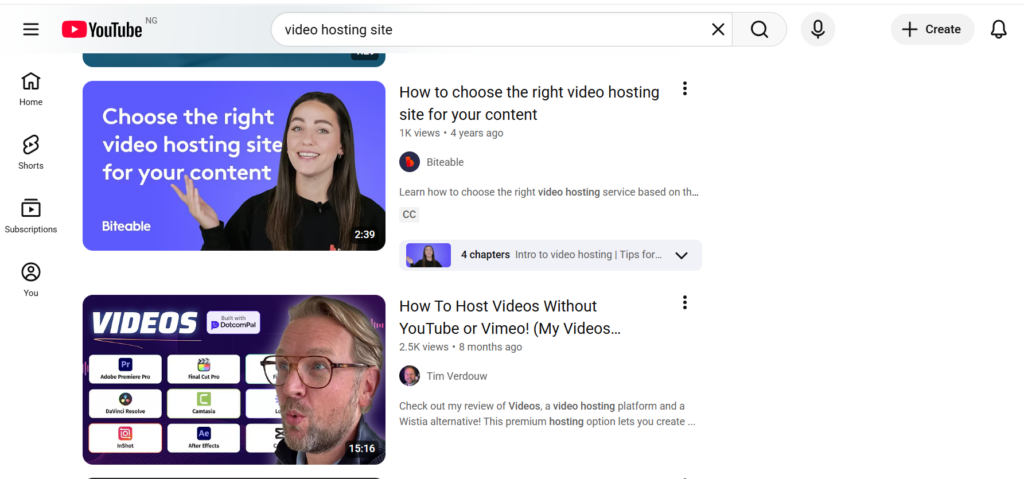
The undisputed giant, YouTube, is a public video-sharing site (the 2nd largest search engine) with 2.7 billion monthly users. It offers unlimited free hosting and SEO value. Its About page can even pass a DA-99 backlink to your site (though it’s nofollow).
Features
- Upload specs: Allows massive files (up to 256 GB or 12 hours per upload with a verified account. Unlimited storage. Accepts most formats (MP4, MOV, AVI, WMV, FLV, WebM, etc).
- Native tools: Title, description, tags, closed captions, custom thumbnail. Chapters and playlists. Live streaming and Premiere scheduling. Monetization options (ads, memberships, Super Chat). Basic analytics (views, watch time, audience retention).
- Social / SEO: Strong Google indexing, videos often appear in search results and carousels. Channel page backlinks. Automatic sharing to Google+.
Strengths
- Massive built-in audience and reach. Users worldwide trust and use it to find videos.
- Free, easy to use, and free hosting.
- Excellent SEO potential (Google often surfaces YouTube videos).
- Community features (likes, comments, subscribers) drive engagement.
Limitations
- No brand control: YouTube player always shows Google’s logo, competitor ads, and recommended videos. YouTube’s algorithm ultimately promotes its own content.
- Limited lead capture: no native email forms or CTAs (only end-screens or cards).
- Analytics are aggregate only (no viewer-level data).
- You don’t own the viewer relationship; Google does.
- Ads run on your video (and on competitors’ videos), which can undermine your message.
Best for: Public discovery and reach. SEO traffic, brand awareness, top-of-funnel content, vlogging, and entertainment. Anyone starting should have a YouTube presence.
2. Dailymotion

Dailymotion is a France-based YouTube alternative with a strong European user base. It has 300+ million monthly visitors and a DA of 93. Advertisers run ads on Dailymotion, so it’s ad-supported.
Features
- Upload specs: Standard accounts can upload up to 4 GB per video (720p) and 2 hours duration. Pro accounts allow much larger files (64 GB) and unlimited duration. Supports common formats (MP4, AVI, WMV, FLV, etc.
- Player: Embeddable HD player. Supports ad insertion and basic analytics (views, plays, geography). Monetization for select partners.
Strengths
- Large built-in audience, especially in Europe. Good SEO (DA 93).
- Less content competition than YouTube (easier to stand out regionally).
- Permissive hosting: Some creators say Dailymotion is friendlier to edgy or non-mainstream content.
Limitations
- Far smaller audience than YouTube.
- Less sophisticated marketing features: limited lead capture and branding compared to paid hosts.
- Ads still run on your videos. Fewer tools for engagement (no integrated live streaming or chapters like YT).
Best for: Expanding reach to European or niche audiences. Repurposing content to gain extra SEO backlinks. When YouTube is saturated, Dailymotion can be a supplemental channel.
3. Facebook Video

With 3.07 billion users, Facebook (Meta) is a social network that also promotes native video aggressively. The News Feed algorithm favors video, and Facebook Watch is a growing hub.
Features
- Upload: Facebook Pages and personal accounts can upload videos (up to 240 minutes, 10GB). Facebook Live for streaming. Supports HD.
- Player: Embeds on Facebook timelines and pages (autoplay in feed).
- Basic analytics: 10s views, minutes watched, retention, audience demographics. Options to post to story, reels, or groups.
Strengths
- Huge potential reach via social sharing. Videos can go viral within communities and be boosted by sharing and reactions.
- No third-party ads in your video (unless you choose to monetize with in-stream ads, which is invite-only).
- Facebook’s targeting and social features (comments, shares) can amplify engagement.
Limitations
- Video is not Facebook’s core; the feed is cluttered with all content types. Videos may not get evergreen SEO traffic outside FB.
- Less discoverable outside of the Facebook platform (no Google indexing of in-FB videos).
- Brand control is limited to what Facebook provides. You cannot remove the FB logo.
Best for: Social video campaigns, live events, reaching a broad (and often older) social audience. Great for community videos, informal content, announcements, and live Q&A.
4. TikTok

A short-form mobile video app with about 1.6 billion monthly active users (2024). TikTok is algorithm-driven: it shows videos to users even if they have no followers, making it easy to go viral.
Features
- Format: Vertical, up to 10-minute videos (as of 2024). Shorter clips are most common (15–60 seconds).
- Built-in tools: editing, filters, music tracks, and effects.
- Discovery: For You page drives viewership; hashtags and trends are huge.
Strengths
- Explosive reach potential: even new users can rack up millions of views.
- Highly engaging younger demographics.
- Powerful editing tools and trending sound library.
- Rapid sharing to other networks.
Limitations
- Strict focus on short vertical content (not suitable for long-form or horizontal).
- No ad-overlay (content is algorithmic, not ad-driven). But also no SEO (videos are not indexed on Google like YouTube).
- Audience skews young and entertainment-focused; less effective for B2B or older demos.
Best for: Brand awareness among Gen Z/Millennials, viral marketing campaigns, influencer content, and anything creative or trendy. Not ideal for direct sales or long tutorials.
5. LinkedIn Video
The professional network LinkedIn has 1.3 billion users (310M monthly active). Video on LinkedIn tends to get high engagement among industry professionals.
Features
- Posting: Users and company pages can post videos directly (up to 10 minutes) or stream via LinkedIn Live (invite-only). Supports horizontal and vertical.
- Discovery: Videos appear in the news feed of your connections/followers and can be shared. Companies can also embed videos on their LinkedIn pages.
Strengths
- Targets a professional, B2B audience. Useful for corporate culture, thought leadership, demos, and educational content.
- Videos auto-play silently in the feed, often catching attention.
- Can drive leads to company websites via clickable captions or links.
Limitations
- Smaller active user base compared to the giants. Organic reach is tied to your network size.
- No advanced video tools (no lead forms in video, no detailed analytics beyond views/engagement).
- The audience mostly wants business content; flashy or humorous clips may underperform.
Best for: B2B marketing, recruiting, thought-leadership videos, webinars, and product demos aimed at professionals.
6. Instagram

Instagram (owned by Meta) has over 2 billion users. It’s a highly visual platform popular with lifestyle, fashion, food, and fitness brands. Video lives in feed posts (60 sec max), Stories (15 sec each), Reels (short clips, up to 10 min now), and IGTV for longer videos.
Features
- Upload: Mobile-first interface, portrait/landscape. Basic editing, filters, stickers.
- Discover: Use hashtags, explore pages, and Reels for algorithmic discovery.
- Engagement: Comments and likes are primary; can tag products (Shopping) in video.
Strengths
- Extremely high engagement for visual-first brands.
- Combines photos and video, keeping audiences in-app.
- Reels have become a focus (Instagram pushes short video content).
Limitations
- No SEO outside of Instagram; the content is not indexed by Google.
- Best for highly visual, aspirational content; not ideal for text-heavy info.
- Competition is tough; standing out often requires high production.
Best for: Visual lifestyle brands (fashion, beauty, travel, food, fitness). Short-form entertainment. Product unveilings. Influencer partnerships.
7. Twitch
Originally for gamers, Twitch (owned by Amazon) now has about 240 million monthly active users and is branching into music, art, cooking, and just chatting streams. It’s a live-streaming platform first, but it also hosts VOD archives.
Features
- Streaming: Primary focus on live broadcasts. Users interact via live chat, bits (tips), and subscriptions.
- VODs: Streams are auto-saved as videos (viewable for 14–60 days unless converted to Clips or uploads).
- Monetization: Streamers can earn via ads, subscriptions, and donations.
Strengths
- Huge, engaged community (especially among gamers).
- Live interaction drives loyalty.
- Strong monetization for creators (subscriptions, donations).
- Can build a dedicated following (channels have followers, schedule calendars, etc.).
Limitations
- It’s live-first; uploading pre-recorded videos is not its core.
- Audience skews young and into gaming/geek culture. Hard to reach older or non-gaming segments.
- Very little SEO benefit; mainly discoverable within the Twitch ecosystem.
Best for: Live streaming (gaming, tutorials, events) and building a community. Also good for educational streams, music performances, or any content that thrives on live interaction.
Best Paid and Professional Video Upload/Hosting Sites
If you want full control over your content distribution to your users, you should consider the following paid and professional video upload sites:
1. Waya Stream — Best All-in-One Business Video Platform
Waya Stream is a full-stack enterprise video platform covering hosting, security, monetization, marketing, and AI tools in one ecosystem. It was built from the ground up for professional use.
Its core strength is content protection: videos are AES-256 encrypted and delivered over a global CDN. Waya Stream supports DRM (Widevine/FairPlay/PlayReady) and dynamic watermarking right on standard plans, features usually reserved for enterprise tiers on other platforms.
On top of that, it offers end-to-end monetization (SVOD, AVOD, TVOD, pay-per-view) and an integrated membership site. In essence, it bundles membership paywalls, OTT channel streaming, interactive video, automated webinars, and even AI-powered editing into one platform.
Features
- Hosting & Delivery: Scalable cloud storage with unlimited content, 8K HDR adaptive bitrate streaming, and a global CDN for low latency.
- Security: End-to-end encryption (AES-256), DRM encryption, dynamic watermarking (viewer-specific info on video), password protection, domain restrictions, and role-based access. Temporary expiring links can be created for sensitive content. Fully SOC-2/GDPR compliant.
- Branded Player: White-label video player (no Waya Stream branding), customizable with your logo and colors. Quality, ad-free embeds.
- Analytics: Deep analytics including heatmaps, drop-off points, per-viewer logs (who watched what, where, and for how long), and geographic/device breakdown.
- Monetization: Built-in tools for subscriptions (SVOD), ad support (AVOD), pay-per-view (TVOD), premium early access (PVOD), and hybrid models. No need for 3rd-party plugins: you can gate videos behind payments or memberships directly.
- Lead Generation & Interactive Tools: In-video email capture forms, CTA overlays, chapter markers, and even shoppable video (clickable product links inside video). Automated evergreen webinars and workshop funnels help turn events into perpetual lead machines.
- AI Features: Auto-chaptering, AI-generated subtitles and translations, AI-clipped short videos for social, and AI-suggested metadata/thumbnails.
- Integrations: Connects with HubSpot, Salesforce, and other CRMs/marketing tools. Has APIs/SDKs and Zapier support for custom workflows.
- Collaboration: Multi-user roles, review/comments on drafts, and a shared content library with project folders.
- Pricing: Free and paid plans
Pros
- All-in-One: Combines what would otherwise require multiple tools (video host + LMS + membership site + webinar platform) into one, reducing complexity.
- Security & Privacy: Enterprise-grade protection included by default, including passwords, domain lock, DRM, watermarking, and compliance. Great for premium courses, corporate training, or any high-value content.
- Monetization Built-In: Easily convert videos into revenue through subscriptions, rentals, or ads without extra plugins.
- Future-Proof: Advanced AI features and OTT streaming mean you’re not just hosting videos but building a video business ecosystem.
Cons
- Cost: It’s a premium solution, so the entry price is higher. Best ROI if you need the breadth of features.
- Complexity: With so many features, there’s a learning curve. Maybe overkill if you only need basic video hosting.
- Scale: Ideal for big businesses; small creators might not need this level of infrastructure.
Best for: Businesses, educators, course creators, and agencies who need to handle everything from upload to payment to secure delivery in one place. Use Waya Stream when video is mission-critical – e.g., selling courses, running webinars, or streaming to a large audience on your terms.
2. Wistia — Best for Marketing-Led Content Teams
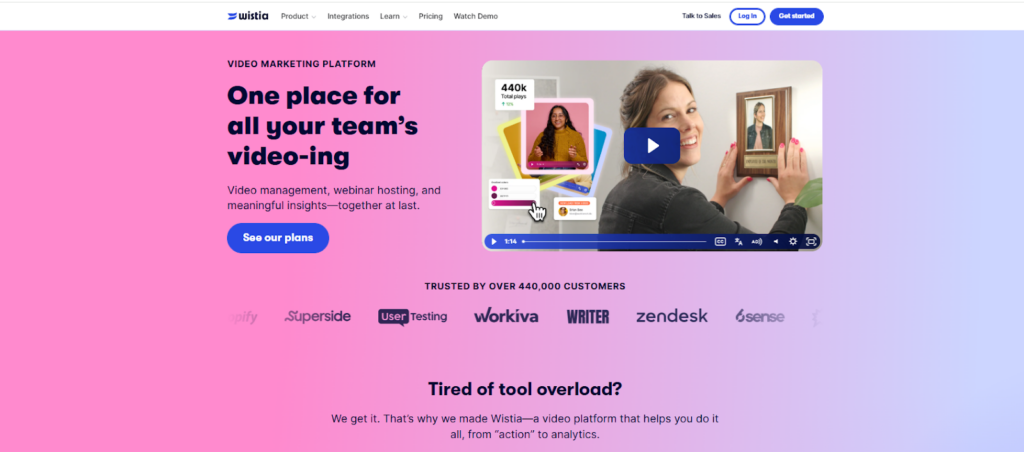
Wistia is a marketing-first video host used by 440,000+ businesses.
It excels in analytics and lead capture, offering industry-leading engagement data (view heatmaps, drop-off charts) and native forms.
Wistia videos are always ad-free and can be embedded on your site with your branding, but Wistia’s strength is marketing campaigns, not large-scale distribution.
Features
- Storage & Delivery: Fast hosting with adaptive streaming. Free plan offers 25 GB (3 videos limit); paid plans add storage (e.g., $79/mo gets 250 GB).
- Player: White-label embed player with custom colors and logo.
- Analytics: Very granular: per-viewer tracking (who watched, how long), engagement graphs, heatmaps for each video.
- Lead Gen: Built-in turnstiles (email capture forms) and CTA overlays. Integrates with HubSpot, Marketo, and email tools to push leads into your funnel.
- Marketing Tools: SEO-friendly embeds, A/B testing for thumbnails, channel pages for grouping videos, and integrations with email and CRM platforms.
- Pricing: Free, Pro: $79/mo (billed annually), Advanced: $319/mo (billed annually), Premium: Custom pricing
Pros
- Amazing Analytics: Few platforms match Wistia’s engagement stats. Marketing teams can see exactly which parts of videos resonate.
- Lead Capture: Easy to add forms or CTA overlays right in the video. Helps turn viewers into email subscribers or customers.
- Branding: Fully custom video hubs and players. No ads ever.
- Integrations: Deep ties to marketing stacks (CRM, email).
Cons
- No Monetization: Wistia has no native way to paywall or sell videos. You can’t build a subscription or TVOD business on it alone.
- Security: Basic: passwords and domain lock, but no DRM, watermarking, or advanced security on standard plans.
- Pricing by Video: The $79 plan gives 250 GB, but if you exceed the included video count, you pay extra per video. This “per-video” pricing can get expensive for large libraries (many teams report overage charges).
Best for: Marketing teams and content creators who want the best video marketing analytics and lead tools. Use Wistia when your goal is to engage and convert (e.g, video landing pages, email campaigns).
3. Vimeo Pro/Business — Best for Creative Professionals and Agencies
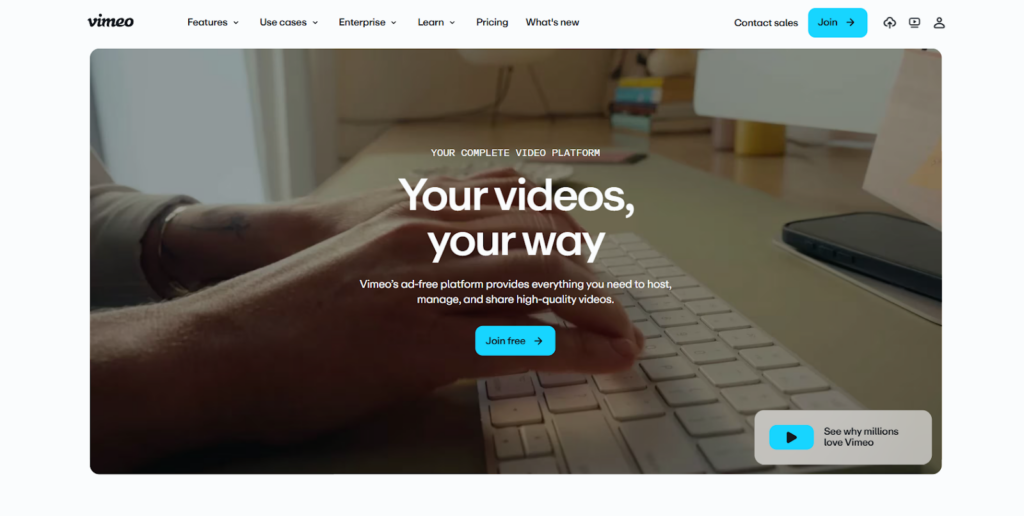
Vimeo is known for high-quality, ad-free hosting. It’s popular with filmmakers, designers, and creative agencies who want a polished presentation.
As of 2025, Vimeo sees about 715 million video plays per month and has about 240,000 paid business subscribers. Vimeo’s emphasis is on quality and branding rather than social discovery.
Features
- Storage: Pro/business plans offer generous weekly upload limits (e.g., 5 GB/week on Pro, up to 5 TB total on Business).
- Player: Fully customizable player (colors, logo, intro/vintage, etc.) with password protection, domain-level privacy, and no external ads. Vimeo is often chosen because it looks very professional.
- Privacy: Allows private links, whitelist domains, and even grouping videos into private channels or portfolios.
- Analytics: Standard analytics on views and engagement. Less granular than Wistia (no heatmaps), but shows geographic and source stats.
- Collaboration: Team accounts with review tools (comments on draft video versions).
- Pricing: Starter: $12/per month/billed annually, Standard: $25/per month/billed annually, Advanced: $75/per month/billed annually
- Enterprise: Contact sales
Pros
- High Quality: Supports up to 8K and 60fps. Output is HD by default, giving a professional look.
- Brand Focus: No distracting ads or suggested videos. Strong privacy options (passwords, embedding controls).
- Sleek UI: Vimeo’s interface and player are very polished, giving videos a refined aesthetic.
- Community (to a degree): Vimeo has creative arts communities and is respected by pros.
Cons
- Limited Marketing Tools: No built-in lead capture or paywall features. You get what Vimeo calls screens (endcards with a link), but not forms.
- Smaller Audience: Vimeo content is generally pulled (shared via website or email) rather than discoverable on Vimeo. They cater to existing audiences.
- Cost: More limited free plan (only 500MB/week free). To use most features, you need paid tiers.
Best for: Creative agencies, film/video professionals, and any brand where presentation matters. Use Vimeo when you need an ad-free, visually stunning player (e.g., portfolio site, promo reel, client showcase) and have your own traffic or use it as a white-labeled hub.
4. Vidyard — Best for Sales Teams and Personalized Video Outreach
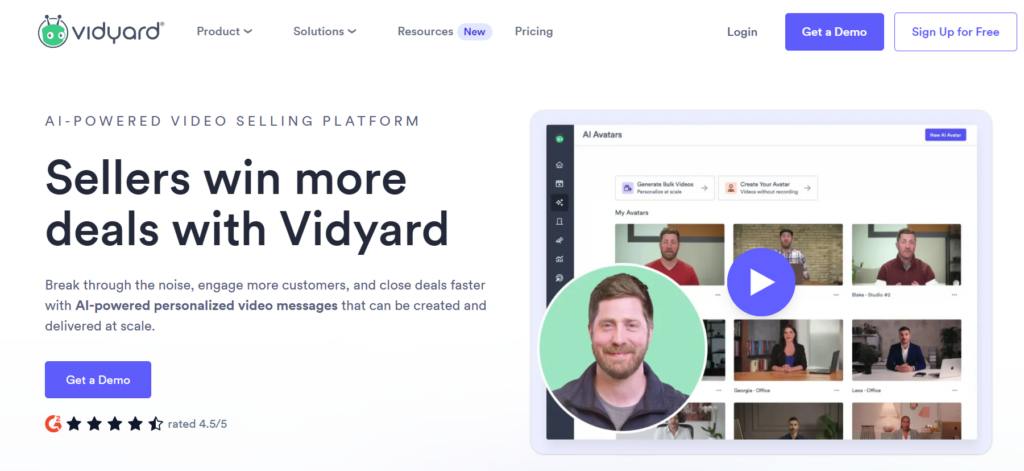
Vidyard is built for sales and business development.
It lets sales reps easily record and send personalized video messages (via browser extension or phone) and tracks exactly how prospects engage with them. Vidyard also hosts on-demand content (demos, product tours), but its standout feature is personalized video at scale.
Features
- Personal Video Tools: Chrome extension and mobile app to record webcam/PPT screenshares on the fly.
- Hosting & Player: Unlimited video hosting on paid plans. Branded video pages and Gmail/Mailchimp embedding. Includes call-to-action overlays.
- Integrations: Strong CRM/MAP integrations (HubSpot, Salesforce, Marketo) and email. It can automatically push new viewer leads into your CRM.
- Analytics: Real-time notifications when a lead watches your video. Per-viewer analytics (watch time, drop-offs) tied to contact records. Team dashboards track performance.
- Monetization: No direct monetization (its focus is on lead gen, not selling videos to viewers).
- Pricing: Free plan (unlimited videos with Vidyard branding), Starter: $59/user/mo, Teams: Custom pricing (billed annually), Enterprise: Custom pricing
Pros
- Sales-Focused: Tailored for outreach: you can send a personalized video via email and know exactly when someone watches. Great for humanizing cold emails or demos.
- ROI Tracking: Close integration with sales tools means video engagement becomes a measurable part of the sales funnel.
- Templates and Performance: Vidyard provides video templates, thumbnail pages, and A/B thumbnail testing for higher CTR.
Cons
- Cost: Pricing is per user. Can get expensive for larger teams.
- Narrow use case: Not ideal for broad marketing or content libraries. It’s more one-to-one communication.
- Basic hosting features: Lacks some advanced marketing features (no webinar funnels, no heavy interactivity).
Best for: Sales teams, BDRs, and customer success roles who want to leverage personalized video in outreach and follow-up. Also useful for creating marketing videos (explainer or demo videos) when you want to track viewer details in your CRM.
5. Cinema8 — Best for Interactive and Conversion-Focused Video
Cinema8 is a secure video platform specializing in interactive video.
It combines video hosting with tools to turn passive videos into active experiences. Marketers can add hotspots, quizzes, CTAs, and funnel logic inside videos. It’s often used by educators and campaign marketers to maximize conversion.
Features
- Interactive Overlays: Clickable CTAs and hotspots within videos (e.g, Learn More links that open without leaving the player). Adaptive intro forms (like lead capture before play). Gamification elements (branching scenarios, quizzes).
- Hosting & Security: Enterprise hosting with global CDN. Domain lock, password protection, and basic DRM support (though more limited than VdoCipher).
- Analytics: Tracks interaction events (which buttons were clicked, quiz results, etc.) and standard view stats. Able to measure conversions inside the video.
- Workflow: Tools for creators to add layers of interactivity via a drag-and-drop interface (no coding).
- Pricing: Free, Starter: $12/mo (billed annually), Pro: $24/mo (billed annually), Pro Plus: $84/mo (billed annually)
Pros
- Engagement: Turns videos into immersive experiences. This can dramatically improve clicks to the site or lead capture right from the video.
- Versatile: Good for training (quizzes to confirm understanding) and marketing (shoppable videos, complex branching stories).
- Secure: Geared for corporate and educational use, so offers many of the same security features as enterprise hosts.
Cons
- Complexity: There’s a learning curve to add interactions. Not needed if you just want a simple video.
- Costly: More expensive than basic hosts due to the interactive features.
- Audience: Better for direct traffic and campaigns, not for broad search discovery.
Best for: Educators, trainers, and marketers who want their videos to actively capture leads or teach interactively. For example, an online course with embedded quizzes, or an explainer video where users can click to buy a product without leaving the video.
6. Brightcove — Best for Enterprise and Large-Scale Video Operations
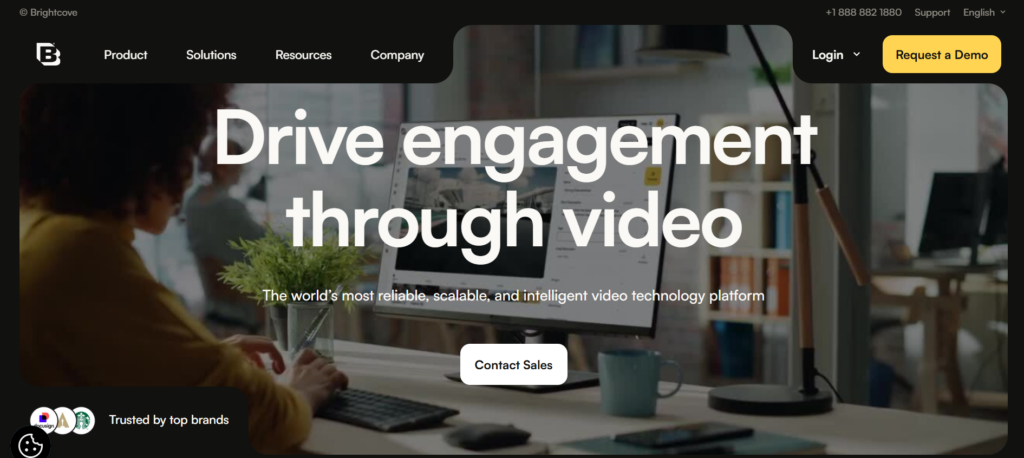
Brightcove is a media-grade platform built for the largest organizations (broadcasters, Fortune 100 companies, OTT channels).
It provides rock-solid infrastructure for streaming to millions of viewers with enterprise SLAs. It supports every advanced need: 4K, live streaming, global CDN, SSAI ads, OTT apps, and full compliance. Media companies and large brands widely use Brightcove.
Features
- High-Scale Delivery: Proven at a huge scale (billion-view OTT channels). Handles live streaming with autoscaling. Global server-side ad insertion (SSAИ) and transcode profiles for every device.
- All Monetization Models: Supports AVOD, SVOD, TVOD, and advanced ad management (SSAI/VPAID) out of the box.
- Security: Enterprise security options, including DRM. ISO-certified processes and 24/7 support.
- Analytics: Enterprise analytics suite with viewer trends, engagement reports, and data export.
- Cloud TV & OTT: Tools to launch branded apps for TV and mobile.
- Pricing: Contact the sales team for a quote
Pros
- Unmatched Reliability: If you need to stream to hundreds of thousands simultaneously, Brightcove is built for it.
- Feature-Rich: Every feature you’d need (ads, monetization, global scale) is available.
- Support: Dedicated account management and support for global live events.
Cons
- Expensive: Brightcove requires a significant investment. Best suited to large corporations.
- Complex Setup: It can require technical integration. Overkill for small teams.
Best for: Enterprise companies, broadcasters, and large media operations with heavy video demands and budgets to match.
7. Spotlightr — Best for Course Creators and Educational Content
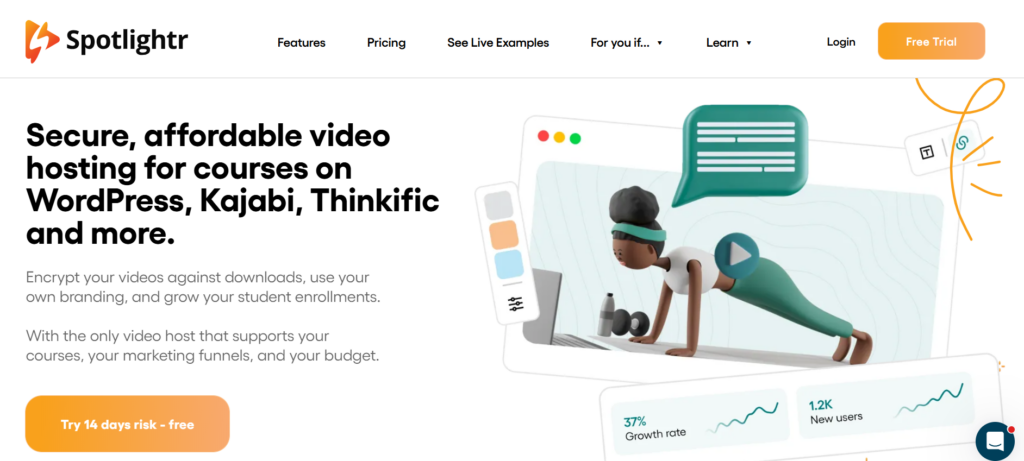
Spotlightr (formerly vooPlayer) is tailored for educators, online course creators, and membership sites.
It emphasizes engagement tracking and content protection. Spotlightr is built to integrate seamlessly with e-learning systems.
Features
- Hosting & Security: Unlimited video storage (even on basic plans) with HLS encryption (no simple downloading). Domain whitelisting and sign-on links.
- Course Integration: Direct integration with WordPress LMS plugins like LearnDash and MemberPress. Can gate content for lessons.
- Quizzes & Engagement: Allows adding multiple-choice questions and checklists to videos. Chapters and bookmarks let students easily navigate content.
- Analytics: Tracks student progress (drop-off points, quiz results) and cumulative watch time.
- Lead Gen: Native email capture forms and even payment gates (Stripe integration) before or during video.
- Pricing: Light: $13/mo, Plus: $21/mo, Premium: $55/mo, Scale: $163/mo
Pros
- Education-Focused: Built for the needs of courses and membership sites. Secure video + teaching tools in one.
- Progress Tracking: You can follow individual student engagement data without a separate LMS in some cases.
- Fast Loading: Claims blazing-fast hosting with a global CDN.
Cons
- Narrow Niche: Lacks features outside education (no OTT apps, ad monetization, etc.).
- UI: Some users find the interface less modern than that of bigger players.
- Cost for Growth: Most features require the higher plans (plus separate WP membership costs).
Best for: Online course creators, coaches, membership sites, and educators who want built-in quizzes and tracking. Use Spotlightr when you need a simple way to secure course videos and gather student performance data.
Best Video Upload Site Comparison Table
A comparison table of the best video upload sites:
| Platform | Best For | Storage | CDN | Analytics | Lead Capture | Monetization | DRM |
| Waya Stream | All-in-one business needs | Unlimited (cloud storage) | Yes | Advanced (per-viewer) | In-video forms, CTAs | SVOD, AVOD, TVOD, PVOD | Yes (Widevine/FairPlay) |
| Wistia | Marketing teams | 25 GB (free); 250 GB Business | Yes | Advanced (heatmaps) | Turnstile forms | None (no paywalls) | No (basic) |
| Vimeo Pro/Business | Creatives, ad-free showcase | 500 MB/week free; 5–20 GB/week (paid) | Yes | Standard stats | No (only endcards) | Limited (Vimeo On Demand) | No |
| Vidyard | Sales teams (personal video) | Unlimited uploads | Yes | Per-viewer (CRM data) | Branded CTAs, forms | No (marketing focus) | No |
| Cinema8 | Interactive video (edu/marketing) | Unlimited | Yes | Interaction tracking | Yes (CTAs, quizzes) | Ads possible (AVOD) | Limited |
| Brightcove | Enterprise/broadcasters | Unlimited | Yes | Enterprise-grade | Yes | SVOD/AVOD/TVOD] | Yes (SSAI) |
| Spotlightr | Course creators | Unlimited | Yes | Student progress | Yes (forms, paywalls) | No | No |
How to Choose the Right Video Upload Site for Your Goals
To make the right choice of video upload sites, consider the following:
- Define Your Primary Goal: Are you aiming for maximum reach and visibility, or for conversions and lead generation? If you need to reach, YouTube, TikTok, or Facebook are ideal. For driving leads or sales, platforms like Wistia, Vidyard, or Waya Stream (with lead forms and analytics) are better.
- Evaluate Analytics Needs: Do you need more than just view counts? If engagement tracking, per-viewer data, or heatmaps are important, use a professional host like Wistia or Waya Stream. If only basics (views, likes) suffice, free platforms might do.
- Access Control & Security: Determine if your content must be restricted. If you need password protection, domain restriction, or DRM, a private host (Spotlightr, Waya Stream) is required. Public platforms have almost no access control.
- Monetization Strategy: Decide how your videos will make money. Public platforms (YouTube, Rumble) are AVOD (ads). Paid hosts (Waya Stream, Brightcove) support SVOD or pay-per-view. If you need subscriptions or pay-per-view gating, ensure the platform supports it (Waya Stream, Brightcove).
- Budget & Scalability: If the budget is tight, start with free platforms (YouTube, TikTok) for audience building. Plan to upgrade when you need more control. Check that paid plans can scale. Beware of free plans with harsh limits (e.g., bandwidth overages).
- Match Platform to Content Type: long-form educational or demo videos: YouTube, Vimeo, or a course-oriented host. Short entertainment clips: TikTok, Instagram Reels, Facebook. B2B webinars or product demos: LinkedIn, Vidyard, Wistia.
- Live streaming: Twitch or YouTube Live (broadcaster) vs Facebook Live (community) vs Waya (embedded simulated live).
- Align with Your Audience: Creators and influencers should definitely be on YouTube and Instagram. Businesses should have a presence on YouTube plus a conversion-focused host. Educators might use a combination of YouTube (for free samples) and a secure LMS host. Enterprises should use scalable, secure hosts (Brightcove, Waya Stream).
Best Practices for Video Uploads in 2026
Here is what you need to know before you upload your video to any site:
- Use MP4 (H.264): Always upload in MP4 format with H.264 encoding; it’s nearly universally accepted with great quality/size balance.
- Shoot High Resolution: Record at least 1080p (1920×1080). For premium content and future-proofing, consider 4K if possible.
- Adaptive Streaming & CDN: Ensure your host uses adaptive bitrate streaming over a global CDN for smooth playback.
- Optimize for Mobile: Since 75% of viewers are on mobile, use subtitles/captions (many viewers watch muted) and make sure text in video is readable on small screens.
- Custom Thumbnails: Always upload a custom thumbnail. Videos with custom thumbnails get 30% more clicks. Use bold, expressive images and text overlays.
- Keyword-Rich Descriptions: Write at least 300-word descriptions on YouTube/Dailymotion with keywords and a link to your site. This boosts SEO and viewer understanding.
- Closed Captions: Include subtitles or captions. Google indexes caption text, which improves SEO and accessibility. It also helps viewers in sound-off environments.
- Link to Your Website: Place a natural backlink (your URL) in every video description. Even if it’s nofollow, it can drive referral traffic and exposure.
- Chapters and Timestamps: Use chapters or timestamps in long videos to improve UX and grab those Google jump-to results.
- Consistent Schedule: Upload on a regular schedule. This trains the algorithm and your audience.
When Free Platforms Are the Right Choice
If you’re on a tight budget or just starting, you can consider a free platform:
- When reach and discovery are your main goals (brand awareness, SEO traffic).
- When you’re building an audience from scratch and need an algorithmic boost (e.g., TikTok’s FYP or YouTube’s recommendations).
- When content is purely top-of-funnel (educational demos, vlogs, teasers) and you’re not yet focused on monetization.
- When the budget is very limited, growth/visibility is more important than control.
When You Need to Upgrade to a Paid Platform
Not sure if you need to upgrade to a paid plan? Consider the following:
- When competitor ads or unrelated videos start appearing on your content, it hurts your brand image.
- When you need to know exactly who is watching which videos (for lead scoring).
- When you want to capture leads directly inside the video experience (forms, CTAs, gated content).
- When content must be restricted (private training, paid lessons, corporate comms).
- When your video library is growing, and you want a branded, organized hub (not a single YouTube channel with 500 videos).
- When you sell content (courses, memberships) and need subscriptions or pay-per-view infrastructure.
- When you need to protect premium content with DRM, watermarking, and anti-piracy measures.
Frequently Asked Questions
What is the best video upload site for beginners?
YouTube is usually the best starting point. It’s free, easy, and has a massive audience. It offers built-in traffic and SEO potential with no cost. Beginners also often use TikTok or Instagram for quick exposure if they target younger consumers.
What is the best free video upload site with no ads?
No ads are rare on free platforms (YouTube and Facebook run ads on your content). However, Vimeo’s free/basic tier doesn’t insert ads in your videos, and Wistia’s free plan (25GB) is ad-free too.
What’s the difference between a video upload site and a video hosting platform?
The line is blurry. Generally, a video upload site is a broad term (often meaning any platform that accepts video uploads). A video hosting platform usually implies more professional features (custom players, analytics, business tools).
Think of YouTube or TikTok as video upload sites primarily for sharing, whereas Waya Stream or Brightcove are hosting platforms built for content management and marketing. Submission sites (like video directories) are yet another category mostly used for SEO/backlinks.
Which video platforms give the best SEO backlinks?
Typically, large sites with high domain authority like YouTube (DA 100), Vimeo (DA 97), and Dailymotion (DA 93) yield strong backlinks. The channel About pages on YouTube/Vimeo can be valuable (though YouTube links are nofollow). Embeds on your own site do not pass SEO value, so it’s the site’s own pages (like your video’s share page) that count.
Can I upload the same video to multiple platforms?
Yes!
In fact, it’s recommended. Each platform reaches different audiences, and each upload can have its own keywords optimized for that site. Just be mindful of each site’s guidelines (for example, LinkedIn and Facebook generally allow duplicates if you own the video). Duplicate content across different domains usually isn’t penalized in this case.
What video format should I upload to get the best quality?
MP4 with H.264 encoding is the safe choice; it’s widely supported and compresses well. For YouTube, MP4 (H.264) is recommended. Always export at the highest resolution your source allows (1080p or 4K if you filmed in 4K).
Do I need to pay for video hosting if I already use YouTube?
If YouTube meets all your needs, you can stay on it for hosting (since it’s free and unlimited). But consider what you’re sacrificing: branding, data, and control. If you need advanced analytics, lead capture, or privacy, you will need a paid host or add-on service. Often, businesses use YouTube plus a professional host in tandem.
What is PVOD, and how do I monetize video content?
PVOD means Premium Video on Demand – it’s like pay-per-view for high-value content (e.g., releasing a movie early). It’s one form of video monetization.
In general, monetize by choosing a model: AVOD (display ads, done by YouTube), SVOD (sell subscriptions, e.g., Waya Stream membership sites), TVOD (one-time purchase/rental through a platform), or hybrid.
Which you use depends on your content and audience. Many creators use YouTube (AVOD) for free content and a platform like Waya Stream, or Vimeo OTT for subscription or pay-per-view content.
Can AI tools help me repurpose videos across multiple platforms?
Yes.
There are AI services that can automatically clip short videos (for TikTok/Reels) from your longer uploads. Some platforms (or external tools) auto-generate subtitles or chapters with AI. Others suggest catchy titles or even thumbnails based on content. Using these tools can save time when posting on multiple sites.
Final Thoughts on the Best Video Upload Sites
No single video upload site fits every goal.
The key is to use the right platform for the right job. In 2026’s landscape, that usually means a multi-platform strategy: use public video upload sites (YouTube, TikTok, etc.) to drive reach and SEO, and use private/paid platforms (Wistia, Waya Stream, Spotlightr) to drive conversions, leads, and secure content.
Also, use submission-style sites (like Rumble or Dailymotion) to gain extra visibility and backlinks for your SEO funnel.
A common blind spot is relying entirely on one free platform. Building your video strategy on rented land (YouTube) leaves you vulnerable to algorithm changes, ads, or deplatforming. Instead, diversify: host your core content (e.g., courses or product demos) on a service you control, while publishing complementary content on public sites.
Also, regularly audit where your videos live and ask: Is this the best platform for my current goals? If the answer is no, it might be time to upgrade or shift to a different video upload site.