

Compare the best video hosting services for real estate in 2026. Discover key features (DRM, analytics, lead capture), pros/cons, and top platforms (Waya Stream, Wistia, Vimeo, Brightcove, and more) to maximize listing exposure and leads.
In 2026, video is the #1 marketing tool for real estate. An industry survey shows 91% of businesses use video in their marketing, and 82% report strong ROI.
In real estate specifically, listing videos drive massive engagement; properties with video get 403% more inquiries than photo-only listings, and 86% of buyers and sellers prefer agents who use video.
Yet many agents rely solely on YouTube, losing control of branding, data, and lead-capture opportunities.
This guide covers all the video hosting service options that matter for real estate, comparing features through a real estate lens so solo agents, brokerages, and developers can pick the right video hosting service for their needs.
Key Takeaways
- Video marketing is essential: Over 90% of businesses use video and report strong ROI. In real estate, video listing tours generate far more inquiries than static content.
- YouTube alone isn’t enough: YouTube offers reach, but it shows competitor ads and unrelated suggestions after your video. You need a dedicated video hosting service for brand control, data ownership, and buyer-specific analytics.
- Public vs Private hosting: Public platforms (YouTube, free Vimeo) maximize exposure but sacrifice control and privacy. Private video hosting services give access control, white-label players, and no ads, essential for listing videos and gated tours.
- Must-have features: Look for a video hosting service with scalable storage and bandwidth, 4K/adaptive streaming via a global CDN, end-to-end encryption (AES-256/TLS), multi-DRM support, dynamic watermarking, customizable branded player, detailed viewer analytics (heatmaps, drop-offs), and interactive lead-capture (forms, CTAs).
- Integrations matter: Top services integrate with CRMs (HubSpot, Salesforce, etc.) and CMS (WordPress, Webflow), so viewing data flows into your sales pipeline. Also, ensure email marketing and developer API support for custom portals.
What Is a Video Hosting Platform?
A video hosting platform (service) is cloud-based software that stores, manages, and delivers video content over the internet.
Unlike a simple file server, a video hosting service handles encoding and streaming to any device. It provides secure delivery (often via a global CDN) and tools for organizing your videos. For example, Waya Stream describes itself as ad-free, lightning-fast, secure video hosting that serves business users.
Key functions include: uploading raw video files, transcoding into multiple bitrates, storing them in the cloud, and streaming on demand.
Crucially, a business-grade video hosting service adds management layers, user access controls, branding, and analytics that consumer sites lack. Standard (public) services like YouTube or Dropbox simply deliver files; a true video hosting service offers a streaming player, security controls (encryption, DRM), and marketing tools out of the box.
In short, a video hosting service means a dedicated streaming infrastructure, as opposed to a general web host.
Public vs. Private Video Hosting: What’s the Difference?
Public video platforms (YouTube, free Vimeo, Dailymotion) excel at reach; they let anyone find and watch your videos. However, they offer poor control: anyone can see comments, your brand is diluted, and after playing, your video ends in a recommendation to potentially watch unrelated or competitor content.
By contrast, private or business video hosting services (Wistia, Waya Stream, Brightcove, etc.) put you in charge. They provide access controls (passwords, domain-locking, expiring links) and advanced security (watermarks, DRM). They remove third-party ads and suggestions so only your content plays.
In addition, they give you ownership of viewer data: you get granular analytics on who watched which listing and for how long, whereas public platforms keep that data private.
Most real estate businesses benefit from a mix: use YouTube and similar for SEO and brand awareness (neighborhood tours, market updates), but use a dedicated video hosting service for listing videos, gated tours, and any content tied to conversion. The right video hosting service lets you combine broad discovery with secure, branded customer experiences on your site.
Why YouTube Alone Is Not Enough for Real Estate
YouTube can draw eyeballs, but it has serious downsides for selling homes.
On YouTube, you don’t own your audience or data – YouTube does. You can’t force viewers back to your site, and after the video, YouTube often promotes unrelated content or even competitor listings. You have no control over ads or cards; if you embed a YouTube link on a property page, unrelated ads or competitor promos can appear.
The branding is fixed: you can’t remove the YouTube logo or play in a white-label player. Most critically, YouTube’s analytics are basic (view counts and demographics) and anonymous, with no per-viewer heatmaps or drop-off info.
This means you miss out on who’s genuinely interested. Moreover, YouTube is optimized to take viewers off your domain, not keep them on your listing page. For international deals, there are privacy concerns: YouTube’s tracking may not comply with GDPR rules for foreign buyers.
In summary, relying only on YouTube as your video hosting service costs you leads and insights. A dedicated video hosting service won’t suggest other content, won’t slip in competitor ads, and will give you full data ownership for your buyer funnel.
Why Self-Hosting Videos on Your Own Server Isn’t Effective
Serving video from your own web server may seem cost-effective, but it fails fast. One hour of HD video is 1.5 GB, so streaming it to many viewers spikes your bandwidth.
For example, AWS CloudFront (a common CDN) charges about $0.085 per GB. That means 1000 viewers streaming a 1-hour HD video could cost $230 in egress fees. These costs climb steeply as your listing library grows.
Plus, hosting media locally slows down your entire site under load, harming SEO and user experience. Without a streaming CDN, long-distance viewers (outside your state or country) will suffer buffering and delays.
There’s no adaptive bitrate streaming on a basic server, so mobile or slow connections buffer. Self-hosting also offers no built-in marketing features: you get zero lead-capture forms, zero analytics beyond server logs, and zero branding controls.
In short, using your own server is neither secure nor scalable; it simply isn’t an effective video hosting service solution for growing real estate businesses.
Key Features to Look for in a Real Estate Video Hosting Platform
Consider the factors below before choosing a video hosting service for your real estate business:
Storage, Upload Limits, and Scalability
Real estate videos, especially 4K tours and drone footage, consume large amounts of storage and bandwidth. Choose a video hosting service with high or unlimited upload limits to avoid unexpected overage fees. Also, check bandwidth limits, since popular listing pages can quickly generate heavy traffic. Scalable pricing or pay-as-you-go plans are ideal for agencies planning to expand their video content and property listings over time.
Video Quality, Adaptive Streaming, and CDN Delivery
A professional video hosting service should support HD and 4K playback for high-quality property tours. Adaptive bitrate streaming is important because it adjusts video quality automatically based on internet speed, reducing buffering issues. A global CDN also improves performance by delivering videos from servers closest to viewers, ensuring fast and smooth playback for both local and international buyers across different devices and network conditions.
Security and Access Control
Protecting exclusive property videos requires strong security features. A reliable video hosting service should offer encryption, password protection, domain restrictions, and expiring links for private access. DRM support, dynamic watermarking, geofencing, and IP whitelists further reduce unauthorized sharing. Agencies should also look for role-based permissions, access logs, SSO, 2FA, and compliance certifications to strengthen security and maintain better control over sensitive real estate content.
Customizable Branded Video Player
Your property videos should reflect your agency’s brand, not a third-party platform. A quality video hosting service should provide a white-label player that lets you customize logos, colors, controls, and player appearance. Removing external branding, ads, and suggested videos creates a more professional viewing experience. Custom domain embeds also improve trust by making videos appear fully integrated within your agency’s website and marketing ecosystem.
Advanced Video Analytics
Detailed analytics help agencies understand buyer behavior and improve marketing decisions. A good video hosting service should provide viewer heatmaps, replay tracking, drop-off points, and play-rate insights. These metrics reveal which property features attract the most attention. Geographic and demographic data can also improve targeting, while CRM integrations allow agencies to connect viewer activity directly with leads for better follow-up and conversion opportunities.
Lead Generation and Interactive Features
A strong video hosting service should help convert viewers into leads. Features like email gates, contact forms, clickable CTA buttons, and booking widgets encourage buyer engagement during playback. Chapter markers improve navigation by letting viewers jump directly to specific rooms or property sections. Interactive overlays and CRM-connected forms also simplify lead capture, making videos more than passive content and turning them into active marketing and sales tools.
Branded Video Library and Content Organization
An organized video library improves professionalism and content management. A reliable video hosting service should allow agencies to categorize videos by neighborhood, property type, or price range for easier browsing. A branded video hub keeps visitors on your website instead of redirecting them elsewhere. This creates a polished experience that strengthens your brand while making listing tours, community videos, and past properties easier to access and manage.
Integration with Real Estate Tools and CRMs
Your video hosting service should integrate easily with your existing tools and workflows. CRM integrations with platforms like HubSpot or Salesforce help sync viewing activity with customer records automatically. Email marketing integrations also support automated campaigns featuring property videos. Easy embedding into CMS platforms and API access are equally important for agencies using custom websites, MLS systems, or advanced property management platforms.
White-Labeling and Custom Domains
White-labeling helps agencies maintain complete brand consistency across video content. A professional video hosting service should allow videos to appear under your own domain or subdomain without visible third-party branding. This improves trust and creates a more polished viewing experience for buyers. Since some providers limit white-label access to premium plans, confirm whether custom domains and branding controls are included before selecting a platform.
Live Streaming Capabilities
Live streaming features are valuable for virtual open houses, investor meetings, and live property tours. A quality video hosting service should support low-latency streaming with tools like live chat, audience Q&A, and DVR controls for pausing or rewinding broadcasts. Simulcasting to platforms such as Facebook or YouTube can also expand audience reach. Reliable live streaming capabilities help agencies engage remote buyers more effectively in real time.
AI-Powered Features
AI-powered tools can simplify video management and publishing. A modern video hosting service may offer automatic subtitles, multilingual translations, AI-generated chapters, and content tagging to save time. Some platforms also create short social media clips or generate optimized titles and descriptions automatically. These features improve productivity for agencies producing large amounts of listing videos, neighborhood tours, and promotional content regularly.
Team Collaboration and Multi-User Management
Real estate teams need collaboration tools to manage video content efficiently. A good video hosting service should support role-based permissions, approval workflows, and shared libraries so users only access relevant content. Features like comments and review systems also improve communication during production. Multi-user management becomes especially important for larger brokerages handling multiple agents, departments, and ongoing property marketing campaigns simultaneously.
Pricing Structure, Billing Models, and Scalability
Video hosting service pricing varies widely depending on storage, bandwidth, user count, and video limits. Some providers also charge extra for premium features like DRM, watermarking, or additional uploads. Storage-based pricing can be more predictable for agencies with large video libraries, while per-user pricing may increase costs for bigger teams. Choose a scalable pricing model that matches both your current needs and future business growth.
Top Video Hosting Platforms for Real Estate Businesses in 2026
I tested over 20 video hosting platforms, and below are my top video hosting platforms for real estate businesses, which offer reach, visibility, security, and affordability:
1. Waya Stream — Best All-in-One Platform for Real Estate Businesses
Waya Stream is a secure video hosting platform designed for businesses that need advanced privacy, DRM protection, white-label streaming, and scalable video delivery.
It supports branded video experiences, analytics, and controlled access, making it suitable for real estate agencies handling premium listings, private property tours, and client-exclusive video content.
Waya Stream is built as a complete video business ecosystem. It combines hosting, security, monetization, marketing, and AI tools in one platform without stitching together add-ons. Designed to handle everything from premium training to listing tours, its focus is on enterprise-grade protection and flexibility.
Real Estate Use Cases: You can host secure buyer tours (with password/domain locks), create time-limited preview links for off-market properties, build Netflix-style listing libraries, and even run PVOD events for new developments. It also supports monetization models (SVOD/AVOD/TVOD) for real estate education or premium content. Agents can host agent-training webinars, while developers can launch OTT channels for investors.
Features
- Up to 8K HDR video with adaptive streaming.
- Fully white-label player (no third-party branding) on standard plans.
- AES-256/TLS encryption plus multi-layer DRM (Widevine, FairPlay, PlayReady)
- Dynamic watermarking, IP whitelisting, domain restrictions, and expiring links.
- Automated AI chapters, summaries, and multi-language subtitles.
- Built-in lead forms, CTAs, shoppable video, and CRM integrations.
- Automated webinars, simulated live streams, and multistreaming to social media.
- Membership site builder and paywalls built in for gated content.
- Per-viewer analytics with engagement and revenue reporting.
Pros
- Enterprise-grade security and DRM on all business plans.
- Rich monetization tools (subscriptions, pay-per-view, memberships) are natively included.
- 8K HDR streaming and shoppable/interactive video built in.
- AI tools (auto-chapters, translation) in six languages.
- White-label player available on standard plans.
- Built-in recording/editor tools reduce the need for external software.
Cons
- Extremely feature-rich (may overwhelm teams needing only basic hosting).
- Advanced features require a learning curve.
- Enterprise-level features (SSO, premium support) cost more.
Pricing
- Free trial available.
- Tiered plans from solo/ to enterprise (contact for details).
Best For: Real estate agencies, developers, and educators who need an all-in-one solution, from branded listing tours to gated investor channels, and want full control over security and monetization.
2. Wistia — Best for Real Estate Marketing Teams
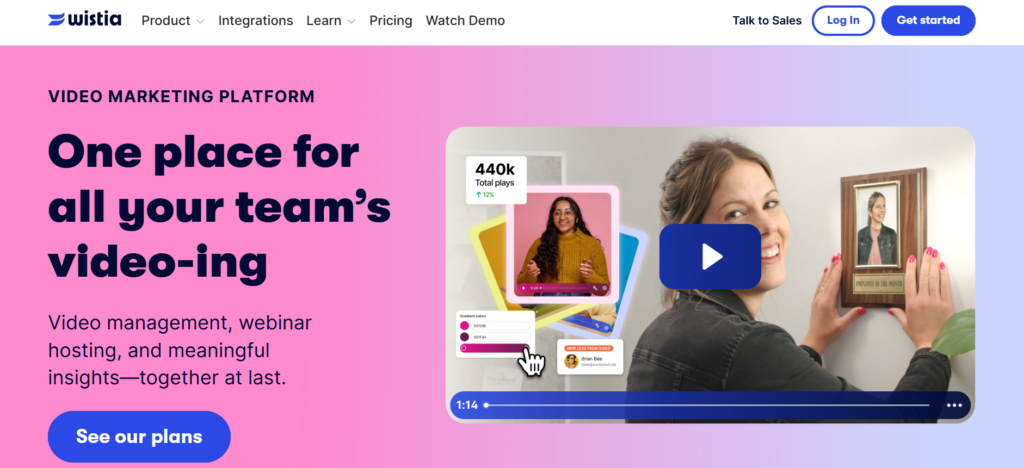
Wistia is a marketing-focused video hosting service. It excels in lead generation and analytics rather than deep security. It offers email capture forms, strong per-viewer analytics, and seamless CRM integration, all wrapped in a polished, professional player.
Wistia focuses heavily on marketing and lead generation. It offers customizable video players, in-video CTAs, email capture forms, and strong analytics tools. Businesses use Wistia to track viewer engagement, improve conversions, and integrate video data with CRMs and email marketing platforms for more targeted campaigns and audience nurturing.
Real Estate Use Cases: Perfect for agencies focused on digital marketing. Use Wistia for listing promos with embedded lead magnets (email signup forms), A/B tests, and integrating video stats into HubSpot or Salesforce. Its Channels feature lets you group videos for a mini-portal (though that requires higher tiers). Agents can host webinar replays or neighborhood tours with conversion tracking.
Features
- Lead-capture email forms and annotation links (with conversion tracking).
- Detailed heatmaps showing which parts each viewer watched.
- Play rate and engagement reporting, plus CRM notifications on viewer actions.
- Built-in integrations to HubSpot, Marketo, Pardot, and Salesforce.
- Video SEO (metadata tools) and A/B testing. Customizable player on paid tiers.
- High-quality HD/4K streaming with no ads.
Pros
- Wistia lets you tie video views to contacts and see per-viewer watch behavior.
- Easy lead capture: add email collectors to videos and sync with your CRM.
- Professional, distraction-free embeds (no ads, clean player).
- Strong integrations with marketing automation.
Cons
- Limited security: standard plans have no DRM, watermarking, or expiring links.
- Libraries grow expensive: $2 per extra video and a steep jump to higher plans.
- No native monetization tools (cannot gate behind paywalls).
- Live streaming is basic (webinars only).
- Enterprise features (SCORM, SSO) require big plans.
Pricing
- Free
- Pro: $79/mo (billed annually)
- Advanced: $319/mo (billed annually)
- Premium: Custom pricing
Best For: Marketing-driven real estate teams and brokerages who prioritize lead generation and pipeline integration. Ideal for embedding listing videos on landing pages and tracking which agents or leads engage.
3. Vimeo — Best for Real Estate Videographers and Creative Agencies
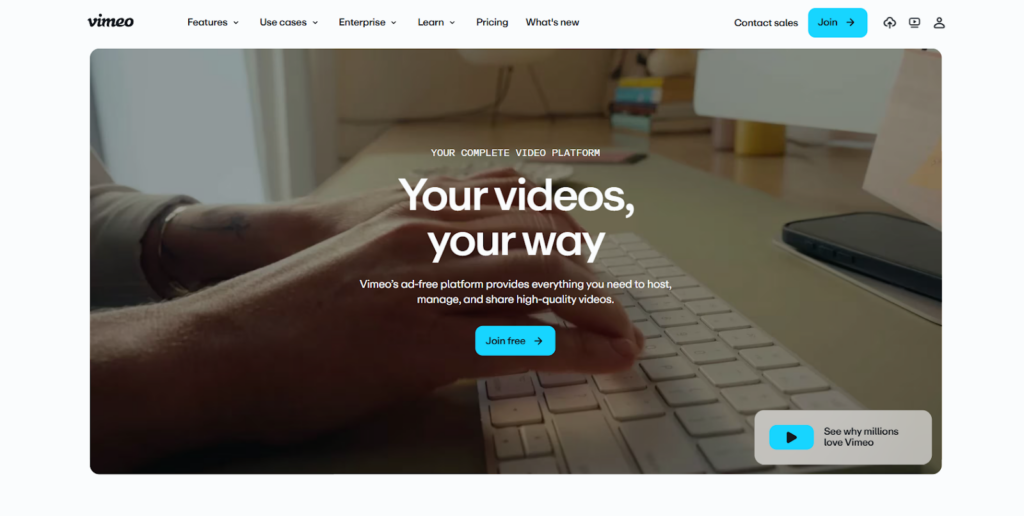
Vimeo is a popular professional video hosting platform known for high-quality playback, ad-free quality branding, and strong collaboration tools.
It supports live streaming, customizable players, and privacy controls. Many creative professionals, agencies, and businesses use Vimeo for polished presentations, client showcases, and branded video hosting without intrusive advertisements. For real estate, it’s great when production quality matters.
Real Estate Use Cases: Use Vimeo for high-end property showreels and promotional videos. Its folder and team review features streamline collaboration with videographers or marketing partners. Host community or lifestyle videos (e.g., renovation stories) on Vimeo on Demand. Realtors can also sell virtual tour videos via Vimeo’s basic on-demand monetization.
Features
- Ad-free, branded player with no competitor ads.
- HD and 4K support with adaptive streaming.
- Time-coded comments and guest reviewer access for team feedback.
- Privacy controls: password-protect, unlisted, or domain-restrict embeds.
- Automatic captions, transcripts, and AI chapter markers across plans.
- Basic monetization via Vimeo On Demand (sell video access).
Pros
- Beautiful, professional playback, no third-party branding or ads.
- Excellent collaboration tools for client feedback.
- Broad 4K support ensures listings look sharp.
- Quality embeds with no suggested videos at the end.
- AI tools (auto captions/transcripts) included.
- Basic video commerce (Vimeo On Demand) for selling single videos or packages.
Cons
- Standard plans lack DRM or expiring link security (only Enterprise adds SSO/IP lock).
- The free plan is very limited (5 GB total storage).
- White-label players require a top-tier plan.
- Analytics are comparatively basic (no per-viewer heatmaps).
- Integrations are less extensive than Wistia (limited CRM features).
- Pricing has risen, so value may not be as strong for basic hosting.
Pricing
- Starter: $12/per month/billed annually
- Standard: $25/per month/billed annually
- Advanced: $75/per month/billed annually
- Enterprise: Contact sales
Best For: Real estate agencies or videographers who produce high-quality promotional videos. Ideal if you need beautiful embeds, easy sharing and review, and occasional video sales (via On Demand), and you can handle it without advanced security.
4. Vidyard — Best for Real Estate Sales Teams
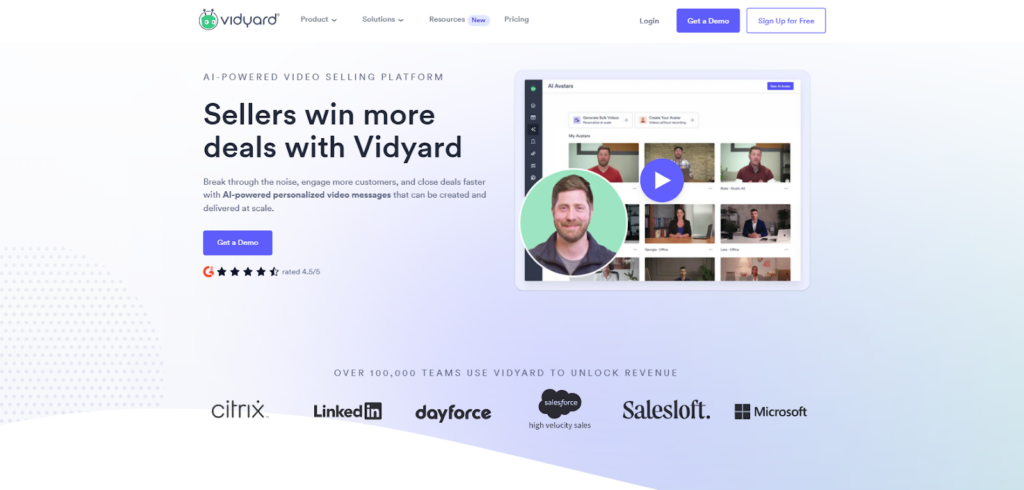
Vidyard is tailored for sales enablement. It combines video hosting with tools for one-to-one outreach. Think of it as a video mail and tracking platform for agents.
Vidyard specializes in video marketing, sales communication, and business engagement. It provides detailed analytics, screen recording, personalized video messaging, and CRM integrations. Sales teams often use Vidyard to send customized video messages, monitor viewer behavior, and improve outreach efforts through data-driven engagement and lead tracking capabilities.
Real Estate Use Cases: Agents can record personalized messages (e.g., touring this home made me think of you), attach them to prospect emails, and get notified when the buyer watches. It’s great for follow-ups: you can embed home tours or intros in email sequences. Vidyard also supports playlists and analytics, so sales teams can see who engages most.
Features
- Unlimited free uploads (no video count or storage cap on the free plan).
- Fast screen-and-camera recording to create custom outreach videos (with branded thumbnail).
- Real-time notifications into CRM (Salesforce, HubSpot, Outreach, SalesLoft) when prospects watch, showing watch time and replays.
- Hosted landing pages for videos and simple analytics focused on viewer interest.
- Integrations with sales tools for email sequencing.
Pros
- Generous free plan, unlimited hosting.
- Built for personal video: easy recording/sharing, boosting engagement in emails.
- Strong CRM integration, reps get instant alerts when a prospect watches.
- High email response rates are commonly reported.
- Good for fast video outreach to buyers.
Cons
- Security is basic (no DRM or advanced locking; videos are essentially email links).
- Customization is limited compared to Wistia/Waya Stream
- No native marketing features (no lead forms or chapters).
- Paid plans are pricey per user ($59/user/mo), which can add up.
- Not ideal for hosting a public-facing video library or interactive tours.
Pricing
- Free plan (unlimited videos with Vidyard branding)
- Starter: $59/user/mo
- Teams: Custom pricing (billed annually)
- Enterprise: Custom pricing
Best For: Sales-focused agents and teams who want to use video in prospect outreach and follow-up. Use Vidyard to send personalized listing tours or intro videos directly to potential buyers and know exactly when they watch.
5. Brightcove — Best for Large Real Estate Enterprises and Portals
Brightcove is an enterprise-grade video hosting platform built for large-scale businesses and media companies. It offers advanced streaming, monetization, live broadcasting, security controls, and global CDN delivery.
Companies choose Brightcove for its scalability, strong analytics, advertising support, and ability to manage high-volume professional video operations efficiently. It’s overkill for small teams, but it serves global real estate portals and large developers well.
Real Estate Use Cases: High-traffic listing sites, national developer campaigns, or large brokerages can stream thousands of listing tours or market updates without hiccups. Brightcove supports big live events (live auctions, national webinars) at scale. Its enterprise infrastructure handles an unlimited number of streams with high reliability.
Features
- Built-in DRM and AES-128 encryption for HLS streams.
- Full ISO/IEC 27001 security certification.
- Global CDN and infrastructure for hundreds of millions of concurrent streams.
- Complete monetization stack (SVOD, AVOD, TVOD) and server-side ad insertion (SSAI).
- Enterprise analytics (impressions, play rates, engagement scores) and broad API integration (Salesforce, Marketo, Drupal, etc.). OTT/Cloud TV support for branded TV apps.
Pros
- Enterprise-grade reliability and security.
- DRM and token-auth on all plans.
- Very high scale (no bandwidth caps).
- Full media monetization support.
- ISO 27001 certified.
- Highly extensible via API/SDK for custom solutions.
- Industry-proven (Brightcove has won technical awards).
Cons
- High starting cost (around $199/mo entry).
- Complex interface and integrations.
- Tailored to media companies, not user-friendly for marketing teams.
- Little focus on simple lead gen features.
- Maintenance and setup often require dedicated IT resources.
- Overpowered and expensive for most mid-market agencies.
Pricing
- Contact the sales team for a quote
Best For: Large national property portals, real estate broadcasters, or huge development firms. If you need a bulletproof scale and global delivery (e.g., worldwide home tours or live events) and have the budget for enterprise-level service, Brightcove is unmatched.
6. Spotlightr — Best for Real Estate Coaching and Course Creators
Spotlightr (formerly vooPlayer) is a video hosting service aimed at online courses and training. Its standout features are security and educational tools.
That said, Spotlightr is a marketing-focused video hosting platform designed for creators, coaches, and businesses. It supports customizable players, video funnels, audience tracking, and interactive CTAs. The platform also offers strong privacy controls, analytics, and integrations, making it useful for businesses wanting conversion-focused video hosting with branding flexibility.
Real Estate Use Cases: Perfect for brokerages offering agent training courses or for real estate educators. You can create password-gated courses, track learner progress, and add interactive quizzes. It’s also useful for client education (e.g., homebuyer seminars) that you want securely hosted.
Features
- Automatic HLS encryption on all uploads to prevent downloads.
- Dynamic IP watermarking and user-based watermarks (email, IP) to deter recording.
- Clickable CTA overlays and in-video lead forms are built in.
- Integrated WordPress/LearnDash plugin for course delivery.
- Live chat support
- Higher tiers include video courses and gallery modules, student analytics and profiles, quizzes, CRM integration, and tracking tags.
- Tiered pricing with Light, Plus, and Premium plans supporting increasing bandwidth, storage, and advanced learning features.
Pros
- High security by default: videos are encrypted, preventing simple downloads.
- Tailored for courses: includes email gating, course module templates, and advanced video analytics.
- Built-in quizzes and engagement tracking on paid plans.
- Good support (14-day free trial available).
- Customizable player and marketing features (calls-to-action, forms).
Cons
- Aimed more at course creators than marketers; if you just need simple listing hosting, many features might be overkill.
- Branding options are decent but not as polished as Vimeo or Waya Stream.
- The free plan is very limited (20 videos, 50GB bandwidth).
- No built-in network for discovery (like YouTube).
Pricing
- Light: $13/mo ( 25 videos, 50GB storage)
- Plus: $21/mo ( unlimited videos, 200GB storage)
- Premium: $55/mo (600GB storage, quizzes).
- Scale: $163/mo (unlimited videos, 2000GB storage)
Best For: Real estate trainers, coaches, and educators who need secure video courses and training portals. Agents or managers building paid training programs will appreciate the native course and analytics features.
7. Castr — Best for Real Estate Live Streaming and Events
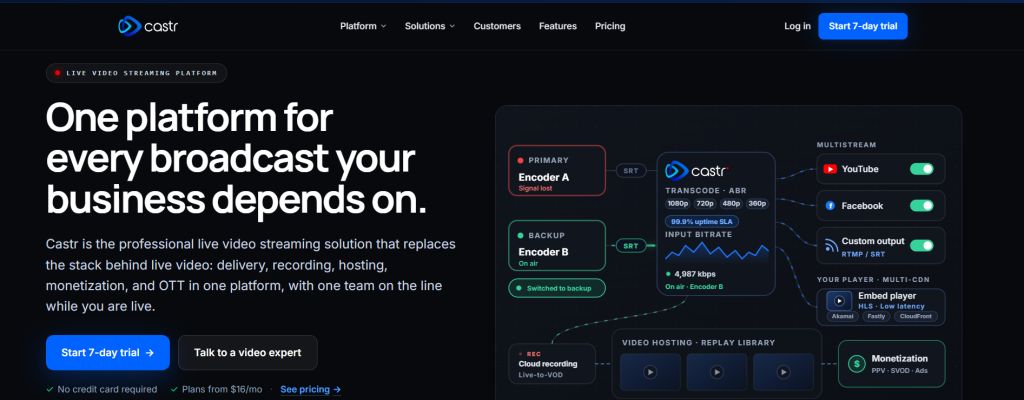
Castr is a live streaming-centric platform that also offers on-demand hosting. It’s geared towards enterprises needing reliable live video.
Castr is a live streaming and video hosting platform known for multistreaming capabilities. Users can broadcast simultaneously to platforms like YouTube, Facebook, and Twitch while maintaining branded streams. It supports live events, webinars, and virtual broadcasts with low-latency streaming, cloud recording, and customizable streaming workflows for businesses and creators.
Real Estate Use Cases: Ideal for virtual open houses, live auctions, investor webinars, and streaming events like annual broker conferences. You can multicamera stream to your site, Facebook, YouTube, etc. simultaneously, and ensure global viewers connect via a multi-CDN backbone. Castr also provides player embeds and basic VOD storage for replaying events.
Features
- Real-time broadcasting with ultra-low latency.
- Multi-CDN origin shield (Akamai, Fastly, CloudFront) for global scale.
- Multistream to 30+ platforms, 24×7 TV Playout (continuous loop channels).
- Built-in encoding/transcoding and backup ingest.
- Paywalls and server-side ad insertion (SSAI) for monetizing live and VOD.
- Live clipping and DVR (viewers can pause/rewind live).
- OTT white-label apps.
- Advanced analytics on viewer count and engagement.
- Transparent pricing with no hidden fees.
Pros
- Enterprise-grade live infrastructure.
- Handles millions of concurrent viewers with 99.9% uptime.
- Built specifically for streaming, more robust than basic players.
- Full video hosting and global CDN support.
- 24/7 support.
Cons
- Focus is on live, so VOD features are simpler.
- Slightly higher learning curve for non-technical users.
- Better suited for events than everyday listing videos.
- Pricing is modular and can add up with multiple streams/channels.
Pricing
- Starter: $16.67 /month
- Standard: $41.67 /month
- Premium: $166.67 /month
- Ultra: $291.67 /month
- Events: $624.99 /month
Best For: Agencies or developers that regularly host live online events. If you need professional virtual open houses or live community events with a polished, scalable video stream, Castr is the go-to solution.
8. VdoCipher — Best for Secure Real Estate Training and Premium Paid Content
VdoCipher is a highly secure video hosting service with built-in DRM and anti-piracy tools. Its strength is protecting premium content.
VdoCipher focuses strongly on video security and anti-piracy protection. It offers DRM encryption, secure playback, watermarking, and domain restrictions to prevent unauthorized downloads and sharing. Businesses handling premium or confidential video content often choose VdoCipher for its strong content protection features and secure streaming infrastructure across devices.
Real Estate Use Cases: Use it for agent certification courses, exclusive investor video seminars, or any premium paid videos. It’s also useful for confidential corporate communications (like executive briefings or legal disclosures) where security is paramount.
Features
- Supports Google Widevine and Apple FairPlay DRM, so no plugins or hacks can download your content.
- Dynamic watermarking (user-specific info on screen) and real-time piracy tracking.
- Custom HTML5 player that you can rebrand.
- Live streaming with DVR, scalable to 100,000+ users.
- Integrations via APIs and SDKs for web, mobile, and LMS (WordPress, Moodle).
- Detailed analytics on device and location.
Pros
- Highest level of content protection: multi-DRM encryption and watermarking out of the box.
- Award-winning security (StreamingMedia Europe voted it the top security service).
- Developer-friendly with plenty of integration options.
Cons
- Less focused on marketing features; more technical to set up.
- No built-in lead capture or editing tools.
- Pricing is primarily usage-based (per GB / per play).
- Limited free tier (only short demo).
Pricing
- Lite plan: $49/yr
- Stater: $149/yr
- Value: $399/yr
- Express: $699/yr
- Pro: $1599/yr
- Premium: $4999/yr
- Enterprise: Custom
Best For: Real estate training companies, brokerages, or certification programs that need DRM and anti-piracy. Also for selling premium content (e.g., paid investor courses) where revenue is at stake and piracy is a real risk.
9. Cinema8 — Best for Interactive Real Estate Video Experiences
Cinema8 is an interactive video platform that combines video hosting with engagement tools.
It allows users to add quizzes, clickable elements, forms, and interactive experiences directly inside videos. It lets you add layers of interaction over standard video. Think quizzes, branching paths, and clickable hotspots.
Businesses use Cinema8 for training, education, marketing, and virtual experiences that require more audience participation than traditional video playback provides.
Real Estate Use Cases: Create engaging property tours where buyers can click for more info, jump between sections, and answer questions. Imagine a video where viewers choose which room to explore next (branching), or an embedded floor plan hotspot. You can also use it for interactive training videos for agents.
Features
- Add clickable CTAs and hotspots on top of any video.
- Embed lead-gen forms and CRM-connected quizzes directly in videos.
- Branching scenarios (different video paths based on viewer choices) and 360° interactive videos.
- AI-driven chapter suggestions, auto-subtitles, and video tagging for SEO.
- Advanced analytics and A/B testing for video content.
- Standard hosting (unlimited views) with an ad-free player.
Pros
- Extremely engaging content: turns passive tours into interactive experiences.
- Rich set of interactive widgets (500+ templates).
- Good branding and embeds.
- You can export videos for LMS (SCORM/xAPI). Modern UI.
Cons
- More expensive and complex than a plain video host.
- Might be unnecessary for most standard listings.
- Analytics are advanced but may go beyond what a typical agent needs.
- An enterprise plan is needed for the full feature set (like SSO, custom integrations).
Pricing
- Free
- Starter: $12/mo (billed annually)
- Pro: $24/mo (billed annually)
- Pro Plus: $84/mo (billed annually)
Best For: Tech-forward agencies or educators who want to deeply engage viewers. Use Cinema8 to create “choose-your-own-adventure” property tours, or to gamify buyer education content. Not needed for basic listing videos, but great for immersive marketing campaigns.
10. YouTube — Best for Organic Reach and SEO (Free Platform)
YouTube is the world’s largest video-sharing platform and offers free video hosting with a massive global reach.
It supports live streaming, monetization, analytics, and audience discovery through search and recommendations. Businesses often use YouTube for visibility and marketing, although branding limitations and third-party ads can reduce presentation control.
Real Estate Use Cases: Use YouTube for broad top-of-funnel content: neighborhood spotlights, market updates, agent bio videos, and casual walkthroughs. These boost your online presence and SEO rankings. YouTube’s wide audience can help attract organic leads, especially on maps and search. But don’t rely on YouTube for gated listings.
Features
- Massive free hosting with global delivery.
- Unlimited video length and views.
- Built-in monetization (ads) if you qualify.
- Auto-captions and basic analytics (views, watch time, demographics).
- Integration into Google’s ecosystem (videos show up in Google search results).
Pros
- Free with unlimited storage and bandwidth.
- Huge potential audience, 2+ billion users.
- Videos indexed by Google, helping SEO.
- Good basic analytics (though not CRM-linked).
- Easily embeddable and shareable.
Cons
- No control over related content or ads; YouTube will show recommended videos after yours (often competitors).
- You don’t own the audience; YouTube can change the rules anytime.
- Branding is restricted (watermark/logo always visible).
- No fine-grained analytics (no heatmaps, only aggregate data).
- Privacy is limited (comments/public by default).
Pricing
- Free (ad-supported).
- YouTube Premium for viewers removes ads but doesn’t change hosting.
Best For: Top-of-funnel marketing. Agents should have a YouTube channel for discovery content (e.g., Best neighborhoods in X, “How to stage your home”). However, treat YouTube as a complement – always use a private video hosting service when you need control or lead capture.
Comparison of Top Video Hosting Service Platforms
Here is how the top video hosting service platforms compare to each other:
| Platforms | Best For | DRM/Security | Branded Player | Advanced Analytics | Lead Capture/ Interactive | AI Tools |
| Waya Stream | All-in-one listings, training, OTT | AES-256 + multi-DRM | White-label (std) | Per-viewer logs + revenue tracking | Forms, CTAs, shoppable, chaptering | Auto-chapters, translation, dubbing |
| Wistia | B2B marketing/lead gen | Password/domain only | Standard themes | Viewer heatmaps + CRM | Email forms, in-video CTA | Basic transcription |
| Vimeo | Creative/high-quality portfolio | Password/domain only | Enterprise only | Basic (views, geography) | Vimeo On Demand sales | Captions, chapters |
| Vidyard | Sales outreach/personal videos | Basic | Standard | Watch notifications | None | Clips for social |
| Brightcove | Enterprise/OTT | DRM, ISO 27001 | Enterprise only | Enterprise analytics | SSAI, paid content | None |
| Spotlightr | Secure courses/coaching | HLS encryption + DRM | Standard | Viewer metrics | Email gates, quizzes | None |
| Castr | Live streaming events | TLS + token auth | Standard | Basic stream stats | Paywalls/Ads | None |
| VdoCipher | Secure training & premium VOD | Widevine/FairPlay | Customizable | Viewer device/logs | None | None |
| Cinema8 | Interactive tours/training | Password/IP (EE) | Standard | Engagement & A/B testing | In-video forms, quizzes | Auto subtitle, chapters |
| YouTube | SEO/reach (free) | No | YouTube Player | Views & demographics | YouTube Cards (basic) | Auto captions |
How to Choose the Right Platform for Your Real Estate Business
Unsure of which video hosting service suits your needs? Get started by considering the factors below:
- Start With Your Use Case: List the video types you create: listing walkthroughs, drone overviews, agent training, investor webinars, etc. Clarify your primary goal for video: is it brand awareness, lead capture, training, or direct sales? Matching the platform to your actual use case is key.
- Ask the 5 Decision Questions: Do you need in-video lead capture forms? Do you need tight access control (passwords, expiring links)? Do you need per-viewer analytics? Will you host both internal training and client-facing tours on the same service? Do you require live streaming for events? Your answers will rule out or recommend certain services. For example, if you need lead forms on listing videos, pick a platform with built-in email collectors. If you need secure off-market tours or require a service with a password or link expiration.
- Team Size & Budget Guide: A solo agent on a budget might use YouTube (for reach) plus a low-cost tier of Vimeo or Spotlightr for listings. Small agencies (2–10 agents) could use Wistia Pro, the entry tier of Cinema8, or a free tier of Waya Stream. Mid-size brokerages should consider Vidyard (for outreach), Spotlightr, or the full-feature set of Waya Stream with custom branding. Large firms or national developers likely need enterprise solutions like Brightcove or Waya Stream Enterprise.
- The Dual-Platform Strategy: It’s often best to use two video services. Use YouTube for top-of-funnel content (market reports, neighborhood guides, agent intros) to capture organic traffic and SEO. Then use a dedicated private hosting service for all listing videos and gated content, ensuring brand control and lead capture. Connect the two: for example, embed a short YouTube promo on your homepage, but link out to your own site for the full, private tour. This way, you get discoverability and conversion.
- Security Risk Assessment: Match the platform to content sensitivity. Public content (market trends, community stories) is fine on YouTube/Vimeo. Buyer-facing listing tours should be on a private service with at least a password/domain lock. Off-market or pre-launch listings require link expiration and strict access. Internal training or premium courses need full DRM, watermarking, and RBAC. Always align your choice with the value of the content and compliance requirements – a leak of a multimillion-dollar listing can cost far more than the platform fee.
Red Flags to Avoid When Evaluating Platforms
Before you commit fully to a video hosting service, I recommend you consider the following red flags:
- Hidden Costs: Watch for unexpected bandwidth overage fees or storage charges for 4K footage. If the plan says unlimited, verify if they throttle after a point.
- No CRM/Marketing Integration: Video data will otherwise live in a silo. If you can’t pipe viewer info to your sales tools, you lose conversions.
- Mandatory Third-Party Ads: Any platform that inserts ads or recommended videos breaks your brand experience.
- Poor Mobile Performance: Since buyers often browse on phones, ensure the host supports adaptive streaming on mobile networks.
- Limited Support: Real estate doesn’t sleep. If a vendor only gives email support to low-tier plans, you’ll be stuck during urgent issues.
- Content Ownership Clauses: Some free hosts may claim rights to your uploaded videos. Avoid any platform that doesn’t explicitly let you keep ownership and removal rights.
Frequently Asked Questions
What is the best video hosting service for real estate in 2026?
It depends on your goals.
For lead capture and analytics, Wistia or Waya Stream are great. For creative control and high-end video, Vimeo works. For large-scale streaming, Brightcove shines. Many businesses use a combination: YouTube for reach and a dedicated service (like Waya Stream or Wistia) for listing tours.
Should I use YouTube for my real estate listing videos?
Use YouTube for discovery-oriented content (market updates, neighborhood tours). But avoid relying on it for property tours if you want to convert visitors. YouTube provides no lead capture and shows competitors’ videos. Instead, embed listing videos from a private video hosting service to keep visitors on your site and capture their info.
How do I password-protect a property tour video?
Choose a video hosting service that supports access control.
Many allow you to set a password on individual videos. Some platforms also let you set expiration dates on links or lock playback to your domain. For example, Vimeo Pro allows password protection and domain-level privacy. More advanced platforms (Waya Stream, VdoCipher) offer dynamic links that expire automatically.
What video format and resolution is best for real estate listings?
Shoot in at least 1080p HD, with 4K when possible (especially for aerials and interior details).
The hosting service will transcode for you. For format, MP4 with H.264/H.265 is standard. Use wide-angle lenses to capture more of each room. Keep videos under 5–10 minutes to hold attention, but longer tour videos can be acceptable if chaptered. The hosting service’s adaptive streaming will ensure that users with slower internet still see quality footage without buffering.
How do I capture buyer leads directly from a property video?
Use interactive features.
Many services let you embed contact forms or email gates in the video. For example, Wistia can add an email signup overlay that pauses the video until the viewer enters contact info. Cinema8 and Spotlightr also offer built-in lead capture widgets. After a viewer signs up, their data flows into your CRM, so you get the lead without an extra landing page.
What is the difference between DRM and password protection for real estate videos?
Password protection is a simple gate – anyone with the password can watch a video. It offers limited security. DRM (Digital Rights Management) is much stronger: it encrypts the video stream and tightly controls which devices can play it (using keys on the client device). DRM prevents screen-recording and unauthorized downloads at a technical level. For high-value or copyrighted real estate content (like agent training or premium developer previews), DRM is preferable.
Do I need to pay for video hosting as a real estate agent?
You need to weigh convenience and features against cost. YouTube and free tiers of Vimeo are free, but come with ads and limited control. Paid video hosting services (Wistia, Waya Stream, etc.) can range from $20/month to enterprise pricing. Many agents find the investment worthwhile once video becomes a core lead channel (given the higher conversion from video). If you only host occasional videos, a low-cost plan or pay-as-you-go service might suffice. But plan to budget for hosting if video is central to your marketing.
What is the difference between VOD and live streaming for real estate?
VOD (video-on-demand) refers to pre-recorded tours you upload and share anytime (e.g., listing walkthroughs, agent profiles). Live streaming is broadcasting a real-time event (like an open house tour happening live). VOD is best for evergreen content that buyers can watch anytime; live streaming is great for events that need viewer interaction (Q&A) and urgency. Many platforms support both. If you plan virtual open houses or auctions, ensure your video hosting service handles live streaming well (Castr or Waya Stream does).
How much storage do I need to host a full real estate video library?
It depends on volume and quality. A 5-minute 1080p video might be 100–200MB (more for 4K). If you do 100 tours/year at 5–10 minutes, that could be 10–20GB per year in HD. Drone footage and 4K tours could be much more (2–3GB each). For a growing agency with hundreds of videos, plan on hundreds of GB to a few TB. Many providers offer plans with 500GB or 1TB of storage. Factor in re-uploads, edits, and library growth. Choosing a plan with flexible or unlimited storage can save you from surprise limits as your archive grows.
Final Thoughts on Video Hosting Service for Real Estate Businesses
The right video hosting service can be a real competitive advantage in real estate.
In 2026, buyers expect professional, seamless, and interactive video tours, not sluggish YouTube embeds or buffering clips. A dedicated video hosting platform lets you present listings in your own brand style, capture buyer info, and analyze exactly what parts of each home resonate.
If you only use a public site, you’re leaving leads on the table. Evaluate your current strategy: identify which platforms you rely on today, and where you need more control or insight. Then pick the platform that fits your main use case. Remember that even agents on a budget can start with free or low-cost plans and scale up.
Ultimately, investing in the right video hosting service (tailored to your content type and audience) will boost your listings’ performance and set you apart from agents stuck on generic video solutions.