

Looking for secure private video hosting? Explore the 7 best platforms in 2026 with DRM encryption, white-label players, domain restrictions, and monetization tools to protect your video content.
The way businesses share and protect video content has shifted dramatically over the past few years.
Not too long ago, uploading a video meant sending a massive file attachment or throwing it on YouTube and hoping the right people found it. That approach no longer works for companies that need real control over who watches their content and under what conditions.
Video hosting platforms have matured into serious business tools. Today, there are platforms built specifically for corporate training, online education, marketing teams, and media companies that need something far more capable than a public sharing site. The market now spans from enterprise-grade solutions with studio-quality DRM to learner platforms built for growing businesses that want clean, branded video experiences.
At the center of all this is the growing demand for private video hosting, the practice of storing and streaming video in secure, access-controlled environments rather than on open public platforms. This guide breaks down the top seven options available this year, what makes each one worth considering, and how to figure out which one fits your situation. Video Glossary
Let’s dive in
Key Takeaway
- Waya Stream creates fully branded membership hubs that give subscribers access to gated content libraries and community features.
- JW Player combines cloud hosting, live streaming, DRM, analytics, and ad monetization into a single product aimed at high-performance delivery and audience engagement.
- It combines cloud hosting, live streaming, DRM, analytics, and ad monetization into a single product aimed at high-performance delivery and audience engagement.
- Look for granular controls by user account, password, email domain, or IP address. The more specific you can get, the better protected your content is.
- If your team uses a CRM, LMS, or marketing automation platform, confirm that your private video hosting solution connects to it. Native integrations reduce manual work significantly.
What Is Private Video Hosting?
Private video hosting refers to specialized cloud storage solutions designed to keep your video content away from unauthorized viewers and prevent redistribution. Unlike platforms such as YouTube or Vimeo’s free tier, private hosting services put you in charge of access, playback environments, and distribution.
The core difference comes down to control. Public platforms are designed to maximize reach and visibility. A private video hosting platform is designed to do the opposite: to restrict access to exactly the people you choose, whether that’s paying subscribers, employees going through onboarding, or clients reviewing a proposal.
In 2024, 95% of marketers identified video as a key part of their overall strategy, and with 78% of businesses planning to increase their video production, the volume of sensitive and valuable video content being created is growing fast. Protecting that content is no longer optional.
Top 8 Private Video Hosting Platforms You Need to Know
Let’s dive in:
1. Waya Stream
Waya Stream earns the top spot by delivering enterprise-level security without the enterprise-level complexity. The platform was built with content protection as its primary focus, and that priority shows up across every feature it offers. Whether you’re a solo creator protecting premium content or a large company securing internal communications, Waya Stream handles both ends of the spectrum with ease.
It also supports six languages, including English, Spanish, Portuguese, French, Arabic, and Hindi, making it an ideal choice for organizations with global reach.
Features
- 8K HDR Video Playback: Delivers crystal-clear streaming quality with adaptive bitrate technology that adjusts to each viewer’s connection in real time.
- White-Label Video Player: Fully customizable player with no third-party branding, giving your content a polished, professional look on every device.
- Video Paywalls and Monetization: Built-in tools to gate content behind payments, subscriptions, or memberships without relying on third-party platforms.
- Membership Site Builder: Create fully branded membership hubs that give subscribers access to gated content libraries and community features.
- Paid Video Channels: Launch standalone video channels with their own storefronts, giving creators and businesses a dedicated revenue stream.
- Simulated Livestreams and Multistreaming: Schedule pre-recorded videos to run as live events and broadcast simultaneously across platforms like YouTube, Facebook, and LinkedIn.
- Automated Webinars and Workshops: Run evergreen webinar funnels on autopilot that convert viewers without requiring you to be present every time.
- Shoppable Videos: Embed clickable product links directly inside the video player so viewers can shop without ever leaving the video.
- Video Funnels: Guide viewers through a structured content journey designed to move them from awareness to conversion.
- AI Video Chapters and Summaries: Automatically generate structured chapter markers and concise summaries, making long-form content easier to navigate.
- AI Subtitle Translations and Dubbing: Instantly translates subtitles and dubs audio into multiple languages, removing barriers for international audiences.
- Screen and Camera Recorder: Built-in recording tools enable teams to capture tutorials, demos, and presentations directly within the platform.
- Online Video Editor: Edit, trim, and refine video content without leaving the platform or switching to external software.
- Automatic Video SEO: Generates meta tags, transcripts, and structured data automatically to improve search engine discoverability.
- Cloud TV Playout and OTT Streaming: Launch your own online TV channel or OTT app and reach audiences on smart TVs, mobile, and web.
- Teleprompter: A built-in teleprompter tool for on-camera presenters and video creators who need to deliver polished takes without memorizing scripts.
Strengths
- Multi-Layer DRM Encryption: Protects video streams against unauthorized downloads and screen recording tools, covering all major browsers and devices.
- Dynamic Video Watermarking: Embeds invisible, viewer-specific watermarks into each stream so leaked content can be traced back to its source.
- IP Address Whitelisting: Restricts playback to specific approved networks, keeping sensitive content inside your organization.
- Domain Restrictions: Ensures your embed code only works on websites you’ve explicitly authorized.
- SSO Integration: Connects to existing identity management systems so access control works through the tools your team already uses.
- Geo-Blocking: Prevents viewers from accessing content outside specified geographic regions.
- Ephemeral Videos: Set videos to expire automatically after a defined window so time-sensitive content doesn’t linger online.
- URL Token Signing: Generates time-limited, signed URLs that become invalid after a set period, preventing link sharing.
Potential Limitations
- Learning Curve: The platform’s extensive feature set can feel overwhelming for smaller teams who only need basic video hosting.
- Pricing: Sits at the higher end of the market, though the depth of features justifies the cost for most growing businesses.
2. Panopto
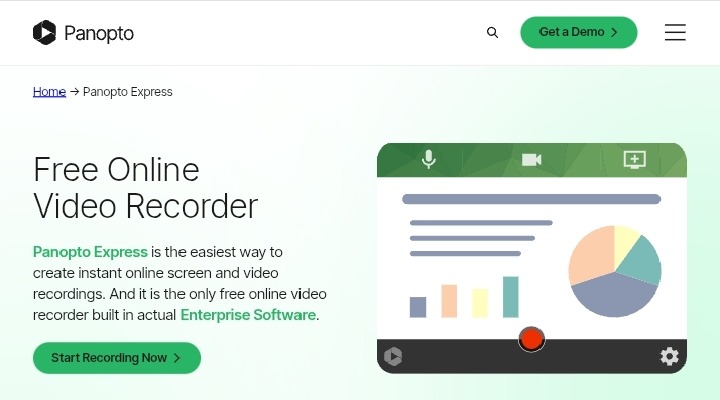
Panopto is built around enterprise learning and knowledge management. Given that 93% of marketers consider video a crucial part of their strategy, having a dedicated platform for corporate learning and knowledge retention makes strong business sense.
If you’re hunting for the best screen recorder for your team or organisation, Panopto offers a strong case.
It works directly in the browser without requiring downloads or installs. You can capture your screen, webcam, and even system audio. On top of that, Panopto supports multi-device recording (Windows, Mac, iOS), auto-tracking of presenters, virtual background support, and a full video management system with editing, analytics, and sharing options built in.
Features
- Built-In Screen Recorder: Lets employees and instructors capture their screen and webcam simultaneously without external software.
- Automatic Transcription: Converts spoken audio into searchable text, making every video fully indexed and easy to navigate.
- Smart Video Search: Viewers can search for specific words or phrases spoken inside any video in the library.
- LMS Integration: Connects natively with Canvas, Blackboard, and Moodle for seamless deployment inside existing learning environments.
- Live Streaming with Auto-Recording: Broadcasts live sessions and saves them automatically for on-demand playback.
Strengths
- SAML and LDAP SSO: Ties video access directly into the same identity systems enterprises use for all other software.
- Group-Level Permissions: Locks content behind role-based access groups so only the right people see the right videos.
- Audit Logs: Tracks and records exactly who watched what and when, providing accountability for compliance-sensitive organizations.
Potential Limitations
- Dated Interface: The user experience feels more functional than modern, which can slow adoption among non-technical staff.
- Limited White-Label Options: Branding customization is more restricted compared to platforms like Waya Stream.
- Best Suited for Enterprise and Academia: Smaller businesses may find the platform heavier than their needs require.
3. Adilo
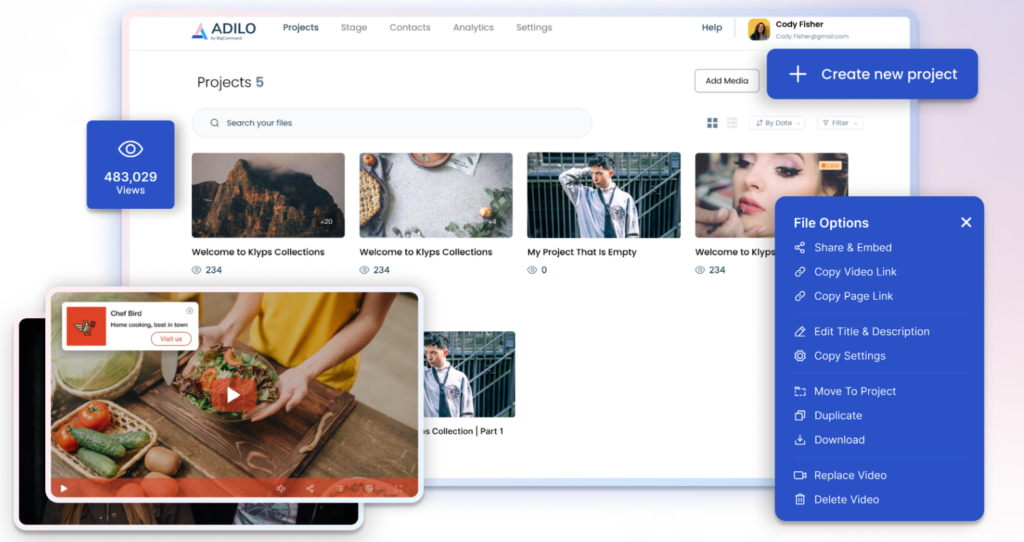
Adilo is a cloud-based video hosting and marketing platform built for creators, course sellers, and businesses that need reliable streaming, security, and marketing tools without ad interruptions.
It positions itself as an unlimited video hosting platform, as you can upload as many videos, audios, and podcasts as you like.
Other key features include ease of use, security, and marketing features for paid content and internal video libraries.
Features
- Unlimited uploads: Host unlimited videos, audio, and podcasts with no per-video caps.
- High-quality streaming: Adaptive playback for smooth viewing across devices.
- Custom channels: Create branded video channels and libraries for different audiences.
- Player customization: Control player appearance, CTA buttons, and playback settings.
- Monetization tools: Built-in options to sell or gate premium video content.
- AI captions & transcripts: Auto-generated captions to improve accessibility and SEO.
- Advanced security: Multi-layered protection against piracy, downloads, and unauthorized sharing.
- Analytics and engagement: Viewer metrics, watch time, and engagement tracking for marketing insights.
- Integrations: Connect with email tools, LMS platforms, and marketing stacks (varies by plan).
- Private and internal hosting: Secure internal video libraries for teams and training.
- Embed and sharing controls: Domain restrictions, embed options, and privacy settings.
- Support and onboarding: Documentation and customer support to help with migration and setup.
Strengths
- Ad-free viewing: Keeps the viewer experience professional and distraction-free.
- Strong security: Advanced anti-piracy and access controls protect paid content.
- Domain-Level Embedding Restrictions: Your embed code only works on pre-approved websites, preventing unauthorized rehosting.
- Password Protection: Adds a password gate before video playback begins.
- Private Link Sharing: Generates non-indexed links that keep videos out of public search results.
- Marketing-friendly: Built-in CTAs, analytics, and monetization help turn videos into revenue.
- Simple pricing model: Clear plans and a free plan to test before upgrading.
- Good for courses and teams: Features aimed at course creators and internal comms make it versatile.
- Accessible features: Auto-captions and transcripts improve reach and compliance.
Potential Limitations
- Internet dependent: Streaming and uploads require stable internet; offline access is limited, and performance depends on connection quality.
- Limited Enterprise DRM: Lacks the deeper multi-layer DRM features found in Waya Stream or JW Player.
- No SSO Support: Access management relies on simpler controls, which may not meet enterprise-level security requirements.
4. JW Player
JW Player began as a lightweight embeddable player and has evolved into a full video platform for publishers, broadcasters, and developers.
It combines cloud hosting, live streaming, DRM, analytics, and ad monetization into a single product aimed at high-performance delivery and audience engagement.
Features
- Live Streaming and VOD: Supports both real-time broadcasts and on-demand libraries within the same platform.
- Real-Time Recommendation Engine: Surfaces relevant content to viewers automatically based on their watch behavior.
- VAST/VPAID Ad Support: Built-in monetization infrastructure for publishers who want to run ads alongside video content.
- Cross-Device Player: Performs consistently across browsers, mobile, and smart TV environments.
- Detailed Analytics: Provides granular data on viewer engagement, drop-off points, and playback performance.
Strengths
- Multi-DRM (Widevine, PlayReady, FairPlay): Covers every major browser and device with full DRM support.
- AES-128 Encryption: Protects HLS streams at the transport layer against interception.
- Signed URL Access Controls: Generates time-limited links that expire automatically after a defined window.
- Flexible player and SDKs: Robust HTML5 player with mobile SDKs and customization for branded playback.
- Live and VOD in one platform: Support for both on‑demand libraries and live broadcasts simplifies operations.
- Monetization options: Built‑in ad insertion and monetization tools help publishers generate revenue.
- Performance and scale: Optimized delivery and player performance for large audiences and publishers.
- Analytics and video intelligence: Real‑time metrics and insights to measure engagement and ad performance.
- Developer-friendly: APIs and integrations let teams automate uploads, transforms, and player behavior.
Potential Limitations
- Complex Pricing: The pricing structure can be difficult to navigate, especially for smaller organizations.
- Advanced Features Are Tier-Gated: Some security features require higher-tier plans that may not be accessible at entry-level pricing.
5. SproutVideo

SproutVideo is a business-focused video hosting service built around secure, brandable playback, detailed viewer analytics, and easy embeds for websites and learning platforms.
It’s often recommended for companies that need control over privacy and player appearance while keeping costs predictable and modest.
SproutVideo is a well-rounded private video hosting platform that balances usability with solid security controls for small to mid-sized businesses.
Features
- Password-Protected Videos: Adds a password layer before any video begins to play.
- Viewer Heatmap Analytics: Shows exactly where viewers watched, rewound, or dropped off inside each video.
- White-Label Player: Removes SproutVideo branding and lets you style the player to match your own brand.
- Custom Video Landing Pages: Creates dedicated pages for individual videos or channel collections.
- Email Integrations: Connects with email platforms to track who on your list is watching your content.
Strengths
- Login-Required Video Sites: Forces viewers to authenticate before accessing any video content.
- Domain Restrictions: Limits where your player can be embedded to pre-approved websites.
- Viewer-Level Tracking: Logs individual viewer data, including watch time, device, and location.
- Strong Security and Privacy Controls: Domain whitelisting, password protection, and SSL/TLS encryption keep paid or internal content secure.
- Customizable Player: Color, controls, and branding options let you match the player to your site and maintain a professional, ad‑free experience.
Potential Limitations
- No SSO Support: Lacks enterprise identity integration, which limits its use in large organizations.
- Lighter DRM Stack: Not suited for premium paid content that requires robust piracy protection.
6. Dacast
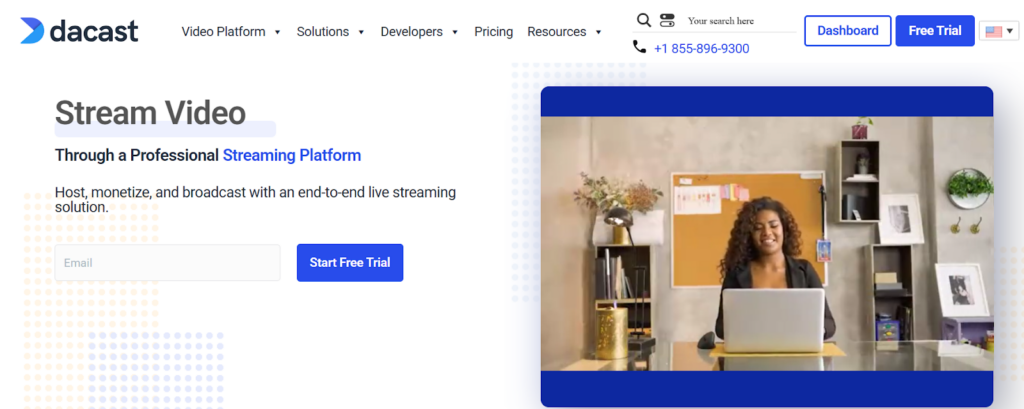
Dacast is a unified live‑streaming and video‑on‑demand platform built for broadcasters, educators, and businesses that want reliable, white‑label streaming with predictable plans.
It combines live broadcasting, VOD hosting, embeddable HTML5 players, and analytics in one dashboard.
Its starter packages are aimed at small audiences and annual billing options to keep monthly costs low. Dacast is built for organizations that need both live streaming and on-demand private video hosting under one roof.
Features
- Multi-CDN Delivery: Routes video traffic through multiple content delivery networks for consistent global performance.
- Built-In Paywall: Monetizes content through pay-per-view or subscription models directly on the platform.
- Low-Latency Live Streaming: Delivers near-real-time broadcasts suitable for live events and corporate communications.
- M3U8 Playlist Support: Compatible with a wide range of hardware encoders commonly used in broadcast environments.
- API Access: Allows custom integrations with third-party tools and workflows.
Strengths
- AES-128 Encryption: Secures HLS streams against unauthorized interception.
- Token Authentication: Generates signed URLs that verify viewer identity before granting playback access.
- Geo-Blocking and Referrer Restrictions: Limits access by geography and controls where the player can be embedded.
- White‑label, ad‑free playback: Remove third‑party ads and brand the player for a professional viewer experience.
Potential Limitations
- Dated Interface: The dashboard looks and feels older compared to newer platforms.
- Inconsistent Support: Some users report slow response times from customer support, which can be problematic during live events.
7. Cincopa
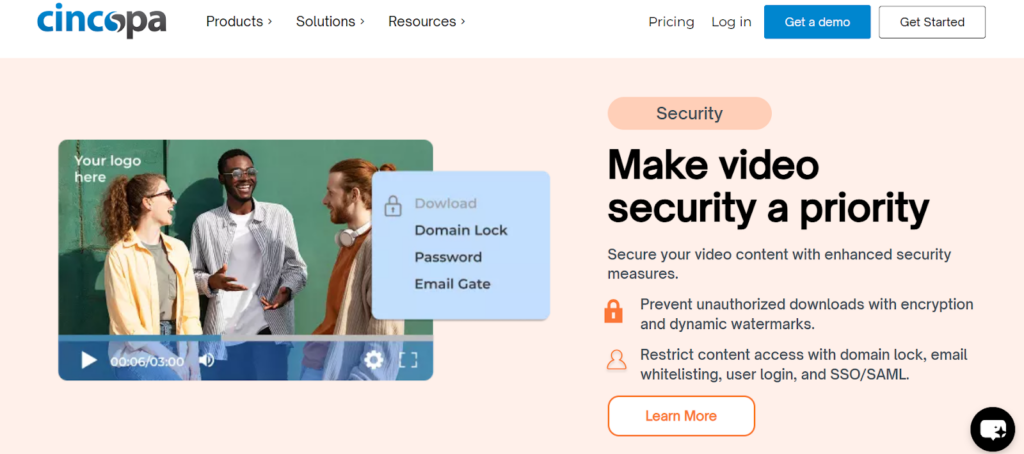
Cincopa is a multimedia hosting platform that combines video, audio, images, and podcast management with a wide range of gallery and player templates.
It’s aimed at marketers, educators, and businesses that want polished, embeddable media experiences without third‑party ads, plus tools for analytics and integrations.
Cincopa offers a flexible media hosting environment that goes beyond video to include images, audio, and documents. Given that company websites are the number one platform businesses use to share video, Cincopa’s web-focused approach is a natural fit for content-heavy marketing teams.
Features
- File Replacement Without URL Change: Update video files post-publication without breaking existing links or embed codes, keeping all distributed versions current automatically.
- Video SEO Tools: Generates structured metadata to improve how videos appear in search engine results.
- Customizable Video Player: Lets you style the player to align with your brand without deep technical configuration.
- CRM and Marketing Tool Integrations: Connects video engagement data with broader sales and marketing workflows.
- Ulti-Media Support: Hosts images, audio, and documents alongside video in a unified content library.
Strengths
- Password Protection: Gates video access behind a password for basic content security.
- Domain Restrictions: Limits where embed codes can be used on approved websites.
- Private Sharing Links: Generates unlisted links that keep videos out of public view.
- Integrations for marketing: Connectors for Slack, Zapier, Zoom, HubSpot, and CRM tools help you automate workflows and capture leads.
- Analytics and engagement tools: Heatmaps, view counts, and engagement metrics help you understand how viewers interact with content.
Potential Limitations
- No Enterprise DRM: Not suitable for organizations that require multi-layer content protection for premium or highly sensitive media.
- Lighter Security Stack Overall: Best positioned for standard business use rather than high-stakes content protection scenarios.
7. VdoCipher
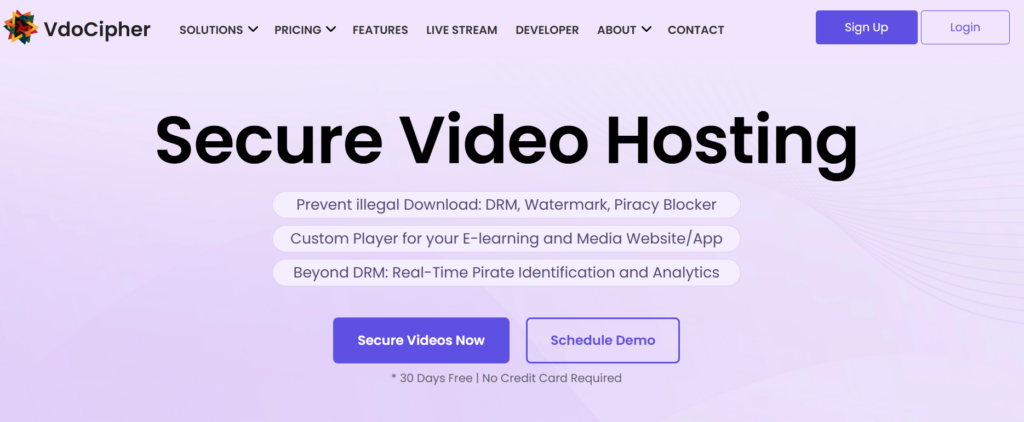
VdoCipher is a DRM-protected private video hosting platform designed for businesses, creators, and educators who need to secure premium or sensitive content from piracy. It focuses on providing strong encryption and controlled access while supporting streaming at scale.
If you’re distributing paid courses, internal training, or proprietary video content, VdoCipher offers a secure way to host, share, and monitor engagement without risking unauthorized downloads or rehosting.
Features
- Multi-DRM Protection: Supports Widevine, PlayReady, and FairPlay across browsers and devices.
- AES-128 Encryption: Secures HLS streams from interception during delivery.
- Secure Video Links: Time-limited, signed URLs prevent unauthorized access.
- White-Label Player: Remove branding and customize the player to match your brand.
- Analytics & Reporting: Track viewer engagement, watch time, and device usage.
- Integration Support: Works with LMS, CRM, and marketing tools for seamless workflows.
Strengths
- Strong Security: Multi-layer DRM and encryption protect valuable content.
- Piracy Prevention: Screenshots, downloads, and external sharing are restricted.
- Scalable Hosting: Handles large audiences with smooth adaptive streaming.
- Custom Branding: Player and embedding fully match the corporate identity.
Potential Limitations
- Enterprise Features Are Tiered: Some advanced DRM or analytics require higher plans.
- Internet Dependent: Streaming performance relies on a stable connection; offline access is limited.
- Learning Curve: Admin interface may take time for new users to fully utilize all features.
Comparison Table of the Top Private Video Hosting Platforms
Here is how the best private video hosting platforms compare:
| Platform | DRM Encryption | White-Label Player | Domain Restrictions | SSO Support | Best Use Case |
| Waya Stream | Multi-layer + screen recording protection | Yes | Yes | Yes | All-purpose secure hosting |
| Panopto | Enterprise-grade | Limited | Yes | Yes (SAML/LDAP) | Corporate learning, LMS |
| Adilo | Standard | Yes | Yes | No | Creators, course sellers, and businesses |
| JW Player | Multi-layer (Widevine, PlayReady, FairPlay) | Yes | Yes | Yes | Premium media, publishers |
| SproutVideo | Standard | Yes | Yes | No | SMBs, marketing teams |
| Dacast | AES-128 | Yes | Yes | No | Live streaming, media orgs |
| Cincopa | Standard | Yes | Yes | No | Marketing, multi-media hosting |
| VdoCipher | AES-128 Encryption | Yes | Yes | Yes | Secure paid courses and enterprise video content. |
How to Choose the Right Private Video Hosting Platform
- Define Your Primary Use Case: Internal employee training has different requirements than a paid online course or a live product launch. Getting clear on your use case narrows your options quickly.
- Assess the Sensitivity of Your Content: Digital video piracy costs the US content sector between $47.5 and $115.3 billion annually. The higher the stakes of your content, the more critical it is to prioritize DRM and access control.
- Examine Access Control Capabilities: Look for granular controls by user account, password, email domain, or IP address. The more specific you can get, the better protected your content is.
- Confirm DRM Availability: Multi-DRM support covering Widevine, PlayReady, and FairPlay is the gold standard. Make sure any platform you consider covers all major browsers and devices.
- Review Domain and IP Restrictions: These controls ensure your content only plays where you intend it to, which is especially important for internal training and premium paid media.
- Evaluate Scalability: The global video streaming market is forecast to grow at a CAGR of 18.5% through 2035. Make sure your chosen platform can scale with your library and audience over time.
- Check API and Integration Flexibility: If your team uses a CRM, LMS, or marketing automation platform, confirm that your private video hosting solution connects to it. Native integrations reduce manual work significantly.
- AES-128 Encryption: Protects video files by encrypting data with a 128-bit key, ensuring that only authorized viewers can access the content.
- Compare Pricing: Most platforms charge based on storage, bandwidth, or viewer count. Match the pricing model to your actual usage patterns before committing.
FAQs
What is private video hosting, and why do businesses need it in 2026?
Private video hosting refers to specialized cloud storage solutions designed to safeguard corporate media from unauthorized access and redistribution. Unlike public platforms like YouTube, these services prioritize content security through encrypted streaming and robust privacy controls.
How does Digital Rights Management (DRM) protect video content in 2026?
DRM encrypts the video stream to prevent unauthorized downloads or screen recording. Top-tier providers like Waya Stream and JW Player use multi-layer DRM to protect intellectual property across 8K HDR resolution playback, covering all major browsers and device types.
Is it possible to perform iterative editing on videos after they are hosted?
Yes.
Platforms like Cincopa allow file replacement without changing the original URL or embed code, keeping all distributed versions current without requiring link updates across the web.
How can business owners maintain brand control with video players?
Platforms like SproutVideo and Waya Stream offer full white-label capabilities, letting you customize the player’s appearance so your brand stays consistent across every customer touchpoint.
What security features should I look for in private video hosting?
Prioritize DRM encryption, domain and IP restrictions, password protection, SSO integration, signed URL access, and viewer-level analytics. The right mix depends on how sensitive your content is and who needs to access it.
What’s the difference between private and public video hosting?
Public platforms maximize visibility with no access control. Private video hosting gives you full control over who watches your content, where it can be embedded, and how it is accessed, all within an encrypted environment.
Can I securely embed private videos on my website?
Yes. Most private video hosting platforms generate embed codes that only work on domains you’ve pre-approved, preventing unauthorized rehosting.
How do I manage who can view my videos?
Through password protection, email-based authentication, SSO login, IP whitelisting, or invite-only links. Advanced platforms tie access directly into existing user management systems.
How do I pick the right private video hosting platform for my business?
Match the platform to your use case and content sensitivity. Enterprise learning environments fit best with Panopto or Waya Stream. Small businesses and marketing teams often find SproutVideo or Adilo more appropriate. Organizations running live events should look closely at Dacast.
Final Thoughts on Top Private Video Hosting Platforms
Private video hosting is no longer just an option for large enterprises. As video becomes central to how businesses communicate, train, sell, and support customers, protecting that content becomes equally important. 93% of marketers report a strong ROI from video marketing. The value sitting inside those video libraries deserves proper protection.
Among all the platforms reviewed, Waya Stream stands out for the breadth of what it covers. It’s not just a secure hosting platform. It’s a complete video business infrastructure that handles hosting, monetization, live streaming, marketing, and distribution in one place, with a security stack that rivals anything else on the market. For businesses that want to stop stitching together multiple tools and work from a single platform, it’s the most complete option available in 2026.
Whichever platform you choose, start with your content’s sensitivity level and your viewers’ access patterns, then work outward from there. The right private video hosting platform is the one that protects your content without getting in the way of delivering excellent content.