

Looking for the best video hosting site for your online courses? This 2026 guide reviews 10 top platforms for security, scalability, monetization, and student experience.
If you’re selling online courses, you already know that the quality of your video delivery can make or break the student experience. But beyond buffering and resolution, there’s a bigger problem most course creators overlook: content security.
The moment you upload a course video to a platform without proper protection, you’re one screenshot or screen recording away from losing revenue you worked hard to earn.
The numbers show just how fast this space is growing. The video hosting platforms of online courses market revenue was valued at USD 5.5 billion in 2024 and is estimated to reach USD 15.2 billion by 2033, growing at a CAGR of 12.5% from 2026 to 2033.
Meanwhile, the broader online education market is projected to reach $400 billion by 2026. With that much money flowing through digital education, content theft and unauthorized sharing have become real financial risks.
Choosing the right platform from the growing list of video hosting sites is no longer just about storage or bandwidth. It’s about encryption, access control, DRM, analytics, and long-term scalability. This guide covers the ten best secure video hosting sites available in 2026, what makes each one worth considering, and which might be the right fit for your online course business.
Key Takeaways
- Waya Stream generates meta tags, transcripts, and structured data automatically to improve search engine discoverability. It also supports six languages, including English, Spanish, Portuguese, French, Arabic, and Hindi, making it an ideal choice for organizations with global reach.
- IBM Video Streaming is built for privacy, reliability, quality, and scale, and is powered by IBM Watson AI for automated closed captioning and search.
- For course creators who integrate video into their funnels, email campaigns, and personalized outreach, Vidyard provides a secure, data-driven environment that not only protects premium content but also optimizes it for conversion and measurable business growth.
- Panopto is purpose-built for academic environments and corporate learning. It integrates directly with major Learning Management Systems and comes with a strong identity-based access control stack.
- StreamShark is a specialized live streaming platform designed to power high-stakes broadcasts for corporate events, government communications, and large organizations that demand uncompromising reliability.
The 10 Best Secure Video Hosting Sites for 2026
Let’s begin:
1. Waya Stream: Best Overall Secure Video Hosting Platform for Businesses
Waya Stream earns the top spot by delivering enterprise-level security without the enterprise-level complexity. The platform was built with content protection as its primary focus, and that priority shows up across every feature it offers. Whether you’re a solo creator protecting premium content or a large company securing internal communications, Waya Stream handles both ends of the spectrum with ease.
It also supports six languages, including English, Spanish, Portuguese, French, Arabic, and Hindi, making it an ideal choice for organizations with global reach.
Features
- 8K HDR Video Playback: Delivers crystal-clear streaming quality with adaptive bitrate technology that adjusts to each viewer’s connection in real time.
- White-Label Video Player: Fully customizable player with no third-party branding, giving your content a polished, professional look on every device.
- Video Paywalls and Monetization: Built-in tools to gate content behind payments, subscriptions, or memberships without relying on third-party platforms.
- Membership Site Builder: Create fully branded membership hubs that give subscribers access to gated content libraries and community features.
- Paid Video Channels: Launch standalone video channels with their own storefronts, giving creators and businesses a dedicated revenue stream.
- Simulated Livestreams and Multistreaming: Schedule pre-recorded videos to run as live events and broadcast simultaneously across platforms like YouTube, Facebook, and LinkedIn.
- Automated Webinars and Workshops: Run evergreen webinar funnels on autopilot that convert viewers without requiring you to be present every time.
- Shoppable Videos: Embed clickable product links directly inside the video player so viewers can shop without ever leaving the video.
- Video Funnels: Guide viewers through a structured content journey that moves them from awareness to conversion.
- AI Video Chapters and Summaries: Automatically generate structured chapter markers and concise summaries, making long-form content easier to navigate.
- AI Subtitle Translations and Dubbing: Instantly translates subtitles and dubs audio into multiple languages, removing barriers for international audiences.
- Screen and Camera Recorder: Built-in recording tools enable teams to capture tutorials, demos, and presentations directly within the platform.
- Online Video Editor: Edit, trim, and refine video content without leaving the platform or switching to external software.
- Automatic Video SEO: Generates meta tags, transcripts, and structured data automatically to improve search engine discoverability.
- Cloud TV Playout and OTT Streaming: Launch your own online TV channel or OTT app and reach audiences on smart TVs, mobile, and web.
- Teleprompter: A built-in teleprompter tool for on-camera presenters and video creators who need to deliver polished takes without memorizing scripts.
Security Strengths
- Multi-Layer DRM Encryption: Protects video streams against unauthorized downloads and screen recording tools, covering all major browsers and devices.
- Dynamic Video Watermarking: Embeds invisible, viewer-specific watermarks into each stream so leaked content can be traced back to its source.
- IP Address Whitelisting: Restricts playback to specific approved networks, keeping sensitive content inside your organization.
- Domain Restrictions: Ensures your embed code only works on websites you’ve explicitly authorized.
- SSO Integration: Connects to existing identity management systems so access control works through the tools your team already uses.
- Geo-Blocking: Prevents viewers from accessing content outside specified geographic regions.
- Ephemeral Videos: Set videos to expire automatically after a defined window so time-sensitive content doesn’t linger online.
- URL Token Signing: Generates time-limited, signed URLs that become invalid after a set period, preventing link sharing.
Potential Limitations
- Learning Curve: The platform’s extensive feature set can feel overwhelming for smaller teams who only need basic video hosting.
- Pricing: Sits at the higher end of the market, though the depth of features justifies the cost for most growing businesses.
2. IBM Cloud Video
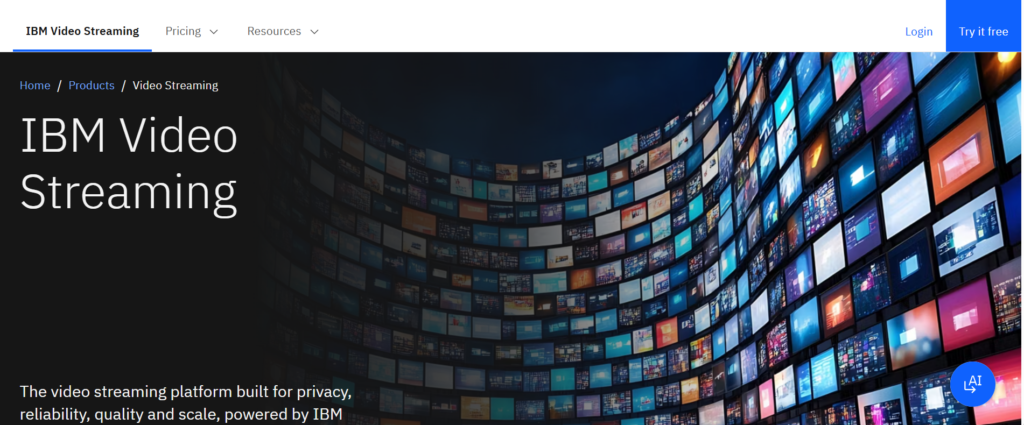
IBM Cloud Video is an enterprise-grade platform under the IBM umbrella, built for large organizations that need broadcast-quality streaming with the backing of IBM’s global infrastructure. It’s one of the few video hosting sites that comes with formal compliance certifications included.
IBM Video Streaming is built for privacy, reliability, quality, and scale, and is powered by IBM Watson AI for automated closed captioning and search.
Features
- Enterprise Live Streaming: Supports large-scale broadcast-quality live events with redundant infrastructure.
- Video Management System: Centralized dashboard for organizing, publishing, and managing large video libraries.
- Adaptive Bitrate Streaming: Maintains consistent playback quality regardless of the viewer’s connection speed.
- Global CDN: Routes content through IBM’s worldwide content delivery network for low-latency playback.
- Custom Branding: Let enterprise teams apply brand guidelines to the video player and portal.
Security Strengths
- AES-256 Encryption: Industry-standard encryption protecting content both at rest and in transit.
- GDPR and HIPAA Compliance: Formal certifications for organizations handling sensitive user data in regulated industries.
- SSO and LDAP Integration: Ties video access directly into enterprise identity and directory systems.
- Password-Protected Channels: Restricts access to approved internal viewers before any content plays.
Potential Limitations
- Pricing: Enterprise pricing makes it inaccessible for individual course creators or small businesses.
- Complex Setup: Requires IT involvement for full deployment, which adds friction for non-technical teams.
- Overkill for Smaller Operations: The feature set is designed for large organizations and can feel unnecessarily heavy for a solo educator.
3. Vidyard

Vidyard stands out as a solution built specifically for sales and marketing teams that rely heavily on video for lead generation, prospect nurturing, and customer engagement.
Beyond simple hosting, Vidyard offers advanced security features, including password protection, secure embed options, domain-level privacy controls, and detailed viewer analytics—allowing businesses to control who can access their content while tracking performance in real time.
For course creators who integrate video into their funnels, email campaigns, and personalized outreach, Vidyard provides a secure, data-driven environment that not only protects premium content but also optimizes it for conversion and measurable business growth.
Features
- Video Messaging: Record and send personalized video messages directly from email or CRM tools.
- CRM Integration: Connects natively with Salesforce, HubSpot, and other major CRMs to sync video engagement data.
- Video Analytics: Tracks who watched, how long, and what actions they took after viewing.
- Heatmap Viewer Tracking: Shows exact drop-off points inside each video to help refine messaging.
- Ad-Free Playback: No third-party advertisements appear on any hosted video.
Security Strengths
- Password Protection: Gates individual videos behind a password before playback begins.
- Domain Restrictions: Limits where embed codes can be deployed.
- Private Link Sharing: Generates unlisted links that keep videos out of public search results.
Potential Limitations
- Not Built for Course Delivery: Lacks LMS integration and student management tools needed for formal course hosting.
- Limited DRM: Does not offer the multi-layer DRM required for premium educational content protection.
4. Panopto
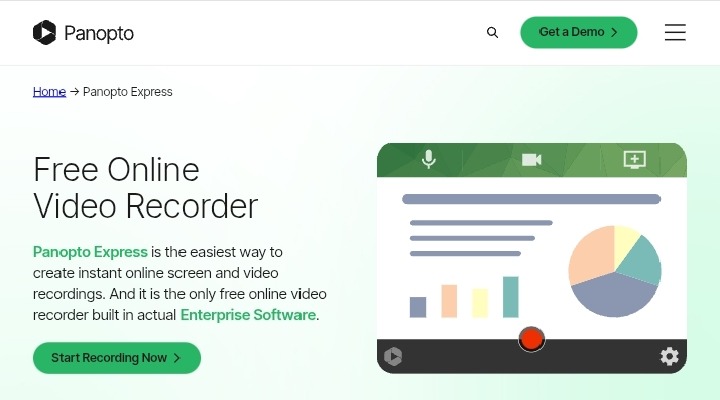
Panopto is purpose-built for academic environments and corporate learning. It integrates directly with major Learning Management Systems and comes with a strong identity-based access control stack.
Panopto is built around enterprise learning and knowledge management. Given that 93% of marketers consider video a crucial part of their strategy, having a dedicated platform for corporate learning and knowledge retention makes strong business sense.
It works directly in the browser without requiring downloads or installs. You can capture your screen, webcam, and even system audio. On top of that, Panopto supports multi-device recording (Windows, Mac, iOS), auto-tracking of presenters, virtual background support, and a full video management system with editing, analytics, and sharing options built in.
Features
- Built-In Screen Recorder: Let instructors capture the screen and webcam simultaneously without external tools.
- Automatic Transcription: Converts all spoken audio into searchable, indexed text.
- Smart Video Search: Students can search for specific words or phrases spoken inside any video in the library.
- LMS Integration: Connects natively with Canvas, Blackboard, and Moodle.
- Live Streaming with Auto-Recording: Broadcasts sessions live and saves them automatically for on-demand replay.
Security Strengths
- SAML and LDAP SSO: Ties video access directly into enterprise and institutional identity systems.
- Group-Level Permissions: Locks content behind role-based access groups.
- Audit Logs: Records exactly who watched what and when for compliance tracking.
- GDPR and HIPAA Compliance: Available for institutions handling regulated personal or health data.
Potential Limitations
- Dated Interface: Less modern-looking than newer platforms, which can slow adoption.
- Limited Monetization Tools: Designed for internal distribution rather than selling courses directly.
- Better Suited for Institutions: Individual educators may find the setup heavier than needed.
5. JW Player
JW Player is one of the oldest and most trusted names among video hosting sites. Its player technology powers content delivery for major publishers worldwide, and its security stack is built for premium media protection at scale. JW Player began as a lightweight embeddable player and has evolved into a full video platform for publishers, broadcasters, and developers.
It combines cloud hosting, live streaming, DRM, analytics, and ad monetization into a single product aimed at high-performance delivery and audience engagement.
Features
- Live and VOD Streaming: Handles both real-time broadcasts and on-demand libraries within the same platform.
- Recommendation Engine: Surfaces related content to viewers automatically based on watch behavior.
- VAST/VPAID Ad Support: Built-in monetization for publishers running ads alongside video content.
- Cross-Device Player: Performs consistently across browsers, mobile, and smart TVs.
- Reporting APIs: Exports granular data into external analytics tools for deeper content strategy analysis.
Security Strengths
- Multi-DRM (Widevine, PlayReady, FairPlay): Full DRM coverage across every major browser and device.
- AES-128 Encryption: Secures HLS streams against interception.
- Signed URL Access Controls: Generates time-limited links that expire automatically.
Potential Limitations
- Complex Pricing: Difficult to navigate for smaller operations or individual educators.
- Advanced Features Are Tier-Gated: Higher-tier plans are required for the most robust security tools.
6. Muvi

Muvi is designed for businesses that want to launch a fully branded OTT platform without the complexity and cost of building one from scratch.
It provides an all-in-one infrastructure that enables course creators and content owners to host, manage, and monetize their video libraries through a Netflix-style subscription model, complete with customizable apps, secure streaming, payment integrations, and user management features—making it a powerful solution for those who want full control over their content, branding, and revenue.
Features
- White-Label OTT Platform: Launch your own branded streaming app across web, mobile, and smart TV.
- Built-In Paywall: Supports pay-per-view, subscription, and rental models natively.
- Multi-CDN Delivery: Routes content through multiple networks for consistent global performance.
- Content Library Management: Organizes large video catalogs with metadata, categories, and tags.
- Monetization Dashboard: Tracks revenue, subscriber counts, and churn from a single interface.
Security Strengths
- DRM Encryption: Protects content across devices with multi-DRM support.
- Geo-Blocking: Restricts content access by geographic region.
- Token-Based Authentication: Verifies viewer identity before granting playback access.
Potential Limitations
- Higher Cost: Full OTT deployment pricing is not suited for entry-level course creators.
- Overkill for Simple Course Hosting: Feature depth is better suited to media companies than individual educators.
7. Wowza

Wowza has long served as a foundational force in the live streaming industry, earning a reputation for reliability and technical excellence.
Among video hosting platforms that specialize in live delivery, it remains one of the most technically advanced options available in 2026, offering powerful streaming infrastructure, low-latency delivery, flexible deployment options, and extensive customization capabilities for businesses that require high-performance, scalable live video solutions.
Features
- Low-Latency Live Streaming: Delivers near-real-time video to large audiences without perceptible delay.
- Transcoding Engine: Converts live streams into multiple quality levels for adaptive playback.
- Stream Recording: Automatically saves live sessions for later on-demand access.
- API-First Architecture: Highly configurable for developers building custom streaming workflows.
- Global CDN Delivery: Routes streams through worldwide infrastructure for consistent performance.
Security Strengths
- AES-128 Encryption: Secures live HLS streams during transmission.
- Token Authentication: Validates viewers before allowing stream access.
- RTMPS Secure Ingest: Encrypts the ingest stream from encoder to platform.
Potential Limitations
- Technical Setup Required: Not plug-and-play; requires developer involvement for full deployment.
- No Native Monetization: Selling courses or subscriptions requires third-party integration.
8. Cincopa
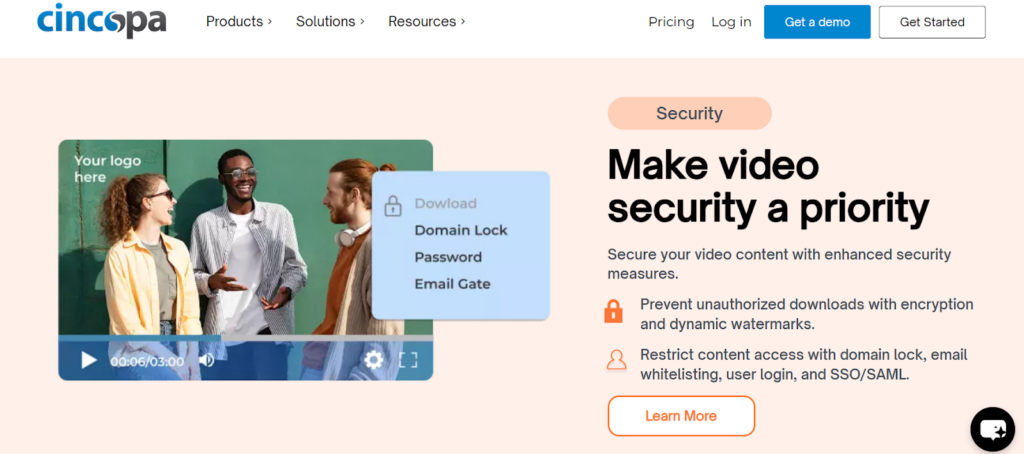
Cincopa is a versatile media hosting platform that goes beyond video to support images, audio files, and documents within a single, unified system.
It offers an accessible and user-friendly solution for small businesses and course creators who need dependable hosting, organized media management, and essential security features, without the technical complexity or cost typically associated with enterprise-level platforms.
Features
- File Replacement Without URL Change: Update video files post-publication without breaking existing links or embed codes.
- Video SEO Tools: Generates structured metadata to improve how videos appear in search results.
- Customizable Player: Style the player to match your brand without technical configuration.
- CRM and Marketing Integrations: Connects video data with broader sales and marketing workflows.
- WordPress Integration: Works cleanly with WordPress through a plugin for protected video embedding.
Security Strengths
- Password Protection: Gates video access before playback begins.
- Domain Restrictions: Limits embed code deployment to approved websites.
- Ad-Free Playback: No external ads appear on any hosted video, protecting brand control.
Potential Limitations
- No Enterprise DRM: Not suitable for high-stakes premium content requiring multi-layer protection.
- Limited Scalability: Better suited to smaller libraries than large institutional video archives.
9. StreamShark
StreamShark is a specialized live streaming platform designed to power high-stakes broadcasts for corporate events, government communications, and large organizations that demand uncompromising reliability.
It focuses on secure, high-performance live delivery with full redundancy, ensuring streams remain stable and protected even during critical moments, making it an ideal solution for institutions that cannot afford downtime or security breaches.
Features
- Secure Live Streaming: End-to-end encrypted live delivery for internal and external audiences.
- On-Demand Recording: Automatically archives live events for replay access.
- Custom Branded Player: White-label player with logo and color customization.
- Analytics Dashboard: Tracks concurrent viewers, watch time, and geographic distribution.
- Multi-Bitrate Streaming: Supports varying connection speeds with adaptive quality output.
Security Strengths
- AES Encryption: Secures live streams during transmission.
- Password-Protected Events: Restricts live broadcast access to invited viewers only.
- IP Whitelisting: Limits viewing to specific approved network addresses.
Potential Limitations
- Narrow Focus: Primarily optimized for live events rather than on-demand course libraries.
- Limited Marketing Tools: Not built for lead generation or course sales funnels.
10. Uscreen
Uscreen is purpose-built for creators who want to build and scale subscription-based video businesses without relying on third-party platforms.
It stands out among video hosting sites by supporting the entire creator economy stack, combining secure video hosting, built-in monetization tools, community features, and fully branded mobile and TV apps, allowing creators to own their audience, deepen engagement, and generate recurring revenue from their content.
Features
- Membership and Subscription Tools: Manages recurring billing, access tiers, and member accounts natively.
- OTT App Builder: Launches branded apps on iOS, Android, Roku, and Apple TV.
- Community Features: Includes discussion forums and social tools alongside video content.
- Video Analytics: Tracks engagement, drop-off, and completion rates across your entire library.
- White-Label Player: Fully branded playback experience with no screen branding visible.
Security Strengths
- DRM Protection: Secures premium content against unauthorized downloads.
- Login-Required Access: All content sits behind member authentication.
- Watermarking: Adds visible or invisible identifiers to video streams.
Potential Limitations
- Not Built for LMS Environments: Lacks native integration with academic LMS platforms like Canvas or Moodle.
- Higher Pricing Tiers: Full feature access requires plans that may stretch small creator budgets.
Comparison of the Best Secure Video Hosting Sites for 2026
Use the table below to compare all ten platforms at a glance:
| Platform | Encryption | DRM | CRM Integration | Uptime SLA | Storage | Best For |
| Waya Stream | Multi-layer | Yes | Yes | 99.9% | Unlimited | All-purpose course hosting |
| IBM Cloud Video | AES-256 | Yes | Limited | 99.9% | Enterprise | Corporate enterprise |
| Vidyard | Standard | No | Yes (Salesforce, HubSpot) | 99.9% | Limited | Sales and marketing video |
| Panopto | Enterprise | Yes | Yes (LMS) | 99.5% | Scalable | Academic institutions |
| JW Player | AES-128 + Multi-DRM | Yes | API-based | 99.9% | Scalable | Premium media streaming |
| Muvi | Multi-DRM | Yes | Limited | 99.5% | Scalable | OTT platform builders |
| Wowza | AES-128 | Limited | API-based | 99.9% | Cloud-based | Secure live streaming |
| Cincopa | Standard | Limited | Yes | 99.5% | Limited | Small business hosting |
| StreamShark | AES | No | Limited | 99.9% | Cloud-based | Corporate live events |
| Uscreen | Standard + DRM | Yes | Limited | 99.9% | Scalable | Membership-based creators |
How We Selected the 10 Best Secure Video Hosting Sites
Selecting the right video hosting platforms for business use requires evaluating far more than storage capacity and playback quality. Here’s the criteria that guided our selections:
- AES-256 Encryption: We prioritized platforms using AES-256 encryption or AES-128 at a minimum to ensure content is protected both at rest and in transit.
- Digital Rights Management (DRM): Platforms supporting Widevine, PlayReady, and FairPlay received the highest consideration for protecting premium and proprietary content.
- SSL/TLS Protocols: All platforms included use SSL/TLS protocols to secure data transmission between the server and the viewer’s browser.
- Tokenized URLs: We favored platforms that generate expiring, signed URLs to prevent unauthorized sharing of links outside controlled environments.
- Content Delivery Network (CDN): A global CDN is essential for consistent, low-latency playback. Platforms with multi-CDN redundancy were weighted more favorably.
- Adaptive Bitrate Streaming: Ensures a reliable viewing experience regardless of the viewer’s internet connection speed or device type.
- CRM Integration: Business-grade platforms must integrate video data with existing CRM and marketing systems. We prioritized native integrations over API-only options.
- HIPAA Compliance and SOC 2 Type II: Any platform handling healthcare-adjacent or sensitive business data must hold formal compliance certifications.
- Live Streaming Security: For platforms offering live broadcasting, we evaluated the security of the ingest pipeline, viewer authentication, and stream encryption.
- Geo-Restriction and Identity Providers: Geographic controls and SSO integration with identity providers such as Okta or Azure AD were key considerations for enterprise-facing platforms.
- White-Label Branding: We included platforms that allow businesses to remove third-party branding and present a fully branded video experience to their audience.
- Uptime SLA: Only platforms with a documented uptime SLA were included. For business-critical video content, downtime is not acceptable.
- AI Editing Tools and Accessibility: Platforms that include closed captioning support, video chapters, and AI-assisted editing tools received additional consideration for overall value.
- WordPress Integration: Given how widely businesses use WordPress as their CMS, native plugin support or clean API-based WordPress integration was a practical factor in our review.
FAQs
What are the essential security features for hosting online course videos in 2026?
To protect high-value educational content, prioritize AES-256 encryption and Digital Rights Management (DRM) to prevent unauthorized downloads. Tokenized expiring URLs and Single Sign-On (SSO) integration are also critical, ensuring only authenticated students via your Learning Management System (LMS) can access the video stream.
Why is a Content Delivery Network (CDN) important for global online courses?
A global CDN minimizes latency by caching video content on edge servers closest to the viewer. This infrastructure is vital for delivering 8K HDR playback smoothly to international students while maintaining high uptime SLA standards, regardless of geographic location.
Does my video hosting platform need GDPR or HIPAA compliance?
If your online courses handle sensitive user data in Europe or healthcare information in the US, you must verify GDPR readiness and HIPAA compliance. Platforms like IBM Cloud Video and Panopto offer these certifications, along with data residency options to ensure information is stored in compliant jurisdictions.
What role does video analytics play in course optimization?
Advanced video analytics provide heatmaps and drop-off tracking, showing where students lose interest in your lessons. By analyzing viewer behavior through exportable data APIs, you can refine your curriculum and content strategy to improve engagement and course completion rates.
Can I integrate secure video hosting with WordPress?
Yes, most professional video hosting sites provide plugins or API access for WordPress integration. Using secure embed controls from providers like Vidyard or Cincopa ensures your videos stay ad-free and protected within your site’s ecosystem, giving you better brand control than public hosting platforms.
What security features should I prioritize when choosing a platform?
Start with DRM encryption and AES-level stream protection. Then look at domain restrictions, SSO compatibility, and whether the platform supports URL token signing. For added protection, dynamic watermarking and geo-blocking round out a solid security foundation.
Can these platforms integrate with other business tools?
Most of the video hosting sites listed here offer API access and native integrations with CRMs, LMS platforms, email marketing tools, and payment processors. Waya Stream and JW Player offer the broadest integration flexibility.
How do I know which video hosting site is right for my business?
Match the platform to your primary use case. If you’re building a subscription course business, Uscreen or Waya Stream are strong fits. If you’re in an academic environment, Panopto is purpose-built for your needs. If live streaming is central to your workflow, Wowza or StreamShark are worth a close look.
Can I switch platforms later if my needs change?
Yes, though switching does involve migrating video files, updating embed codes, and potentially re-configuring integrations. Choosing a platform with API access and export functionality from the start makes a future transition significantly easier if your needs outgrow your initial choice.
Final Thoughts on Secure Video Hosting Sites
The market for video hosting sites is expanding fast, and the options available in 2026 are more capable than ever. The video hosting platforms of online courses market revenue was valued at USD 5.5 billion in 2024 and is estimated to reach USD 15.2 billion by 2033, growing at a CAGR of 12.5% from 2026 to 2033.
With that kind of growth comes more competition, more features, and importantly, higher expectations from course creators and their students.
Security can no longer be treated as an afterthought. The right secure video hosting platform protects your content without creating friction for your students.
- Waya Stream leads the pack for course creators, businesses, and brands who want the broadest feature set with the strongest security stack.
- Panopto serves institutional environments exceptionally well.
- Uscreen is the go-to for membership-first business models.
- And platforms like IBM Cloud Video and JW Player handle enterprise and premium media at the highest levels of protection.
Whatever your specific situation, the platforms on this list give you a strong starting point. The best video hosting site for your online courses, business, and brand is the one that meets your security requirements today while leaving room for where your business is heading.